How to verify if the downloaded Kaspersky Lab installer is genuine
Latest update: October 16, 2018
ID: 9795
All Kaspersky Lab installers (distribution packages) are digitally signed, which guarantees the integrity of the file you download from the Kaspersky Lab website.
Digital signature is a necessary and sufficient warranty of a distribution package genuinity.
To view the digital signature:
- Right-click the downloaded installer and select Properties in the context menu.
- Go to the Digital Signatures tab. If the Digital Signatures tab is missing, then the digital signature has been damaged or does not exist, thus the installer is not genuine.
- Select the Kaspersky Lab signature and click the Details button.

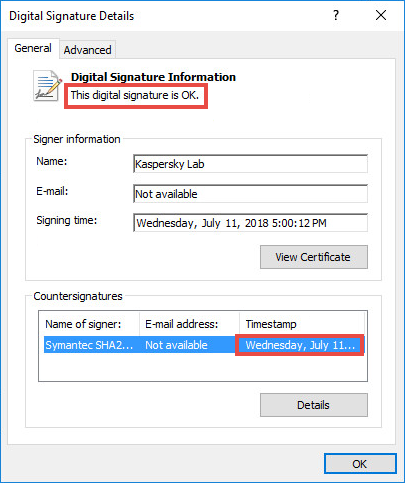
- You can check if the digital signature is valid in the Digital Signatures Details window on the General tab. Along with the signature, the tab General contains a Timestamp (under Countersignatures) as well indicating the time the file was signed.
If the signature is invalid, it means that the installer has been modified and should not be used.
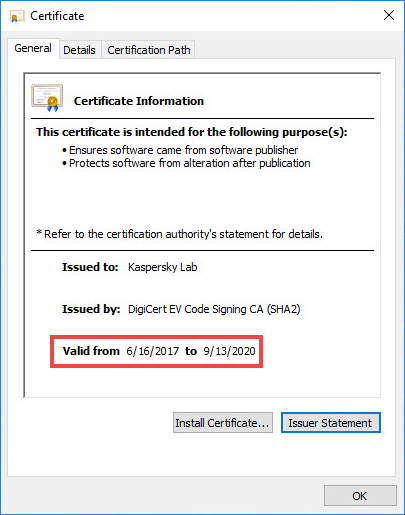
The certificate with which Kaspersky Lab signs its files and drivers is valid for a limited period of time. The certificate may expire, however the signature remains valid if the file was signed while the certificate was still valid.