How to get a full memory dump when Windows Vista, Windows 7, 8, 8.1, 10, or 11 stops responding
Latest update: August 31, 2023
ID: 3055
The article is not applicable to Windows Vista SP1 and earlier.
Sometimes, after installing a Kaspersky application, the operating system may stop responding. These issues might occur when starting up your computer or running a task. It may be caused by the conflict between Kaspersky applications and other applications or drivers installed on your computer.
If such an issue occurs:
- Enable writing of a full memory dump.
- Get a full memory dump.
- Send the dump file to Kaspersky Customer Service.
How to enable writing of a full memory dump on Windows 7, 8, 8.1, 10
- Free at least 25 GB on a system drive (usually, disk C:\). By default, the dump file is created in the Windows folder of the system drive under the name MEMORY.DMP.
- Press Win+E on the keyboard.
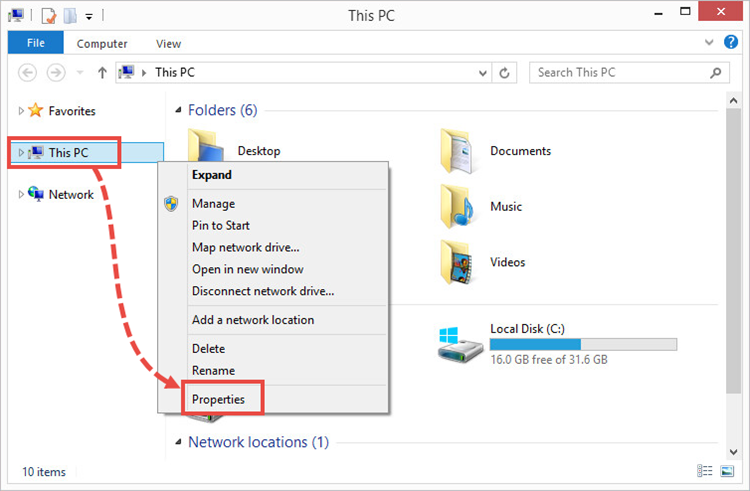
- Right-click Computer and select Properties in the shortcut menu.
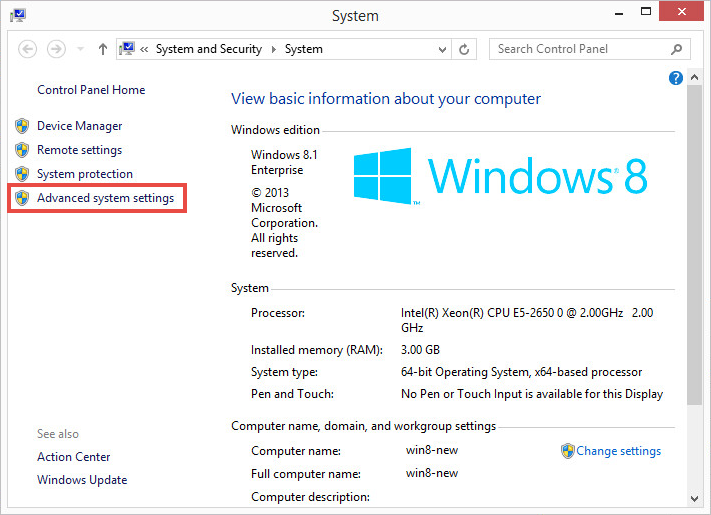
- Select Advanced system settings.
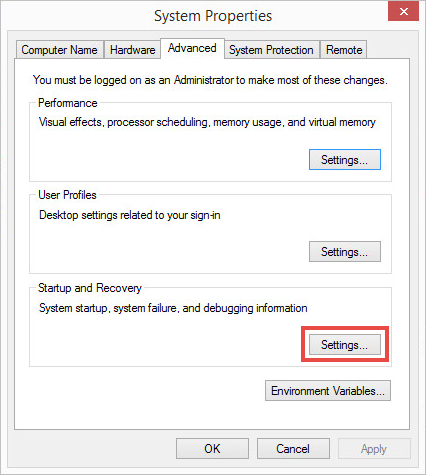
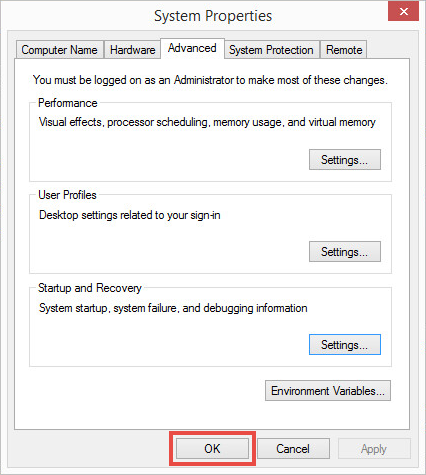
- In the Startup and recovery section, click Settings.
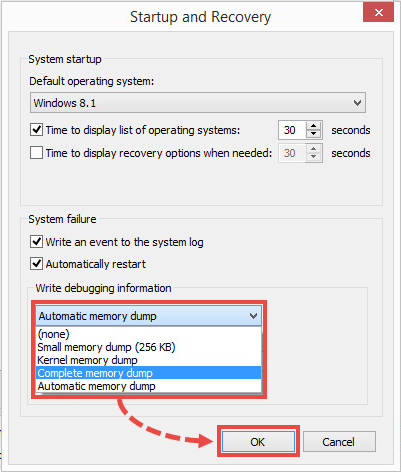
- In the Write debugging information section, select Complete memory dump from the drop-down menu.
- Click OK.
- Click OK.
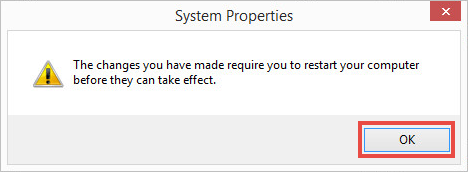
- Click OK.
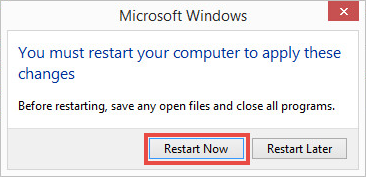
- Click Restart now.
Writing of a full memory dump has been set up.
How to enable writing of a full memory dump on Windows 11
- Free at least 25 GB on a system drive (usually, disk C:\). By default, the dump file is created in the Windows folder of the system drive under the name MEMORY.DMP.
- Click the search icon on the Windows taskbar.
- Type “system” in the search field and select System.
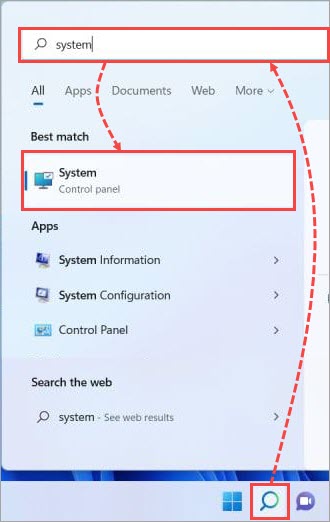
- Select Advanced system settings.
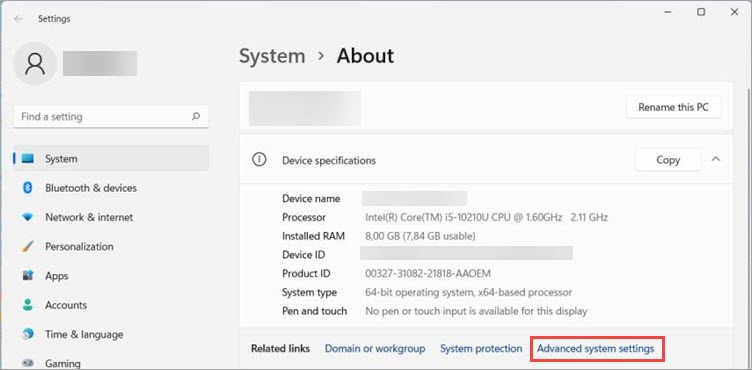
- Follow the steps 5-11 from the instructions above.
Writing of a full memory dump has been set up.
How to get a full memory dump
- Allow manual start of dump collection:
- Download the ManualDump.zip archive and extract the files from it.
- Run the ManualDump_ON.reg file.
- Click OK.
- Restart your PC.
- Check if memory dump collection is enabled:
- Press and hold Right Ctrl on your keyboard.
- Press Scroll Lock twice on your keyboard. The system will show you the blue screen.
- Click OK.
- Reproduce the issue and repeat step 3 to collect the dump file.
- Wait until the dump is collected and the system restarts in a regular mode.
- Check if the dump file was created successfully. Open the properties of the C:\Windows\MEMORY.DMP and check the date it was changed. The date must be current.
- Disable dump collection. Run the ManualDump_OFF.reg from the downloaded archive.
- In the dialog window, click OK.
- Reboot the computer.
The dump file has been created.
How to send the dump file to Kaspersky Customer Service
- Add the file to an archive. See this article for instructions.
- Submit a request to Kaspersky Customer Service by choosing the topic of your request.
Attach the archive with a dump file to your request.