Configuring event sources with custom regular expressions
This section explains how to add and configure event sources with custom regular expressions.
Kaspersky CyberTrace sends alert about a detection to a SIEM as a single event. All context information that is required for triage and investigation of the threat, including specific information for certain initial event sources, should be included in this event. This can be accomplished by configuring event sources and custom regular expressions.
Repeat the steps below for every unique source of events that you have.
To configure an event source with custom regular expressions:
- Create an event source as described in section "Matching process settings".
- In addition to regular expressions for indicators (
URL,IP,MD5and other indicator types), add regular expressions ofCONTEXTtype. Regular expressions ofCONTEXTtype may match against any useful information such as event identifiers, request identifiers, time stamps etc. This context information helps to search for raw events in a SIEM. - We recommend replacing universal regular expressions for indicators with the ones that match the event source event format. Regular expressions for many popular devices are described in section "Regular expressions for popular devices".
- Add all
CONTEXTtype regular expressions to the Detection events format field. To do so, specify the names of all regular expressions in the detection events format by using the%RegexpName%pattern.
Example
The event source for this example is a McAfee Web Gateway source.
The event source with custom regular expressions is configured as follows:
- Create a new event source.
This source sends event logs from a SIEM, so adding this event source by IP is not possible because all such event sources will have the IP address of the SIEM. Instead, specify a regular expression that will identify this event source based on the data contained in the events. For example, the expression can match a device name or a device version that are contained in the events. Note that If your event source sends the events directly to Kaspersky CyberTrace, such source may be specified by its IP instead.
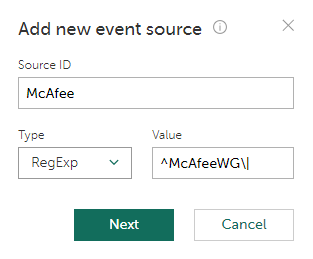
Creating a new event source
- Start collecting events and receive several events.
Only those events that matched the regular expression specified in the previous step will be displayed.
For example, events with the following data were received:
McAfeeWG|time_stamp=[01/Jan/2015:02:12:31 +0800]|auth_user=jsmith|src_ip=10.10.69.1|server_ip=192.0.2.1|host=www.example.com|url_port=80|status_code=301|bytes_from_client=279|bytes_to_client=1149|categories=Business, Software/Hardware|rep_level=Minimal Risk|method=GET|url=http://www.example.com/|media_type=text/html|application_name=|user_agent=Mozilla/5.0 (compatible; MSIE 10.0; Windows NT 6.2; WOW64; Trident/6.0)|block_res=0|block_reason=|virus_name=|hash=|filename=|filesize=753|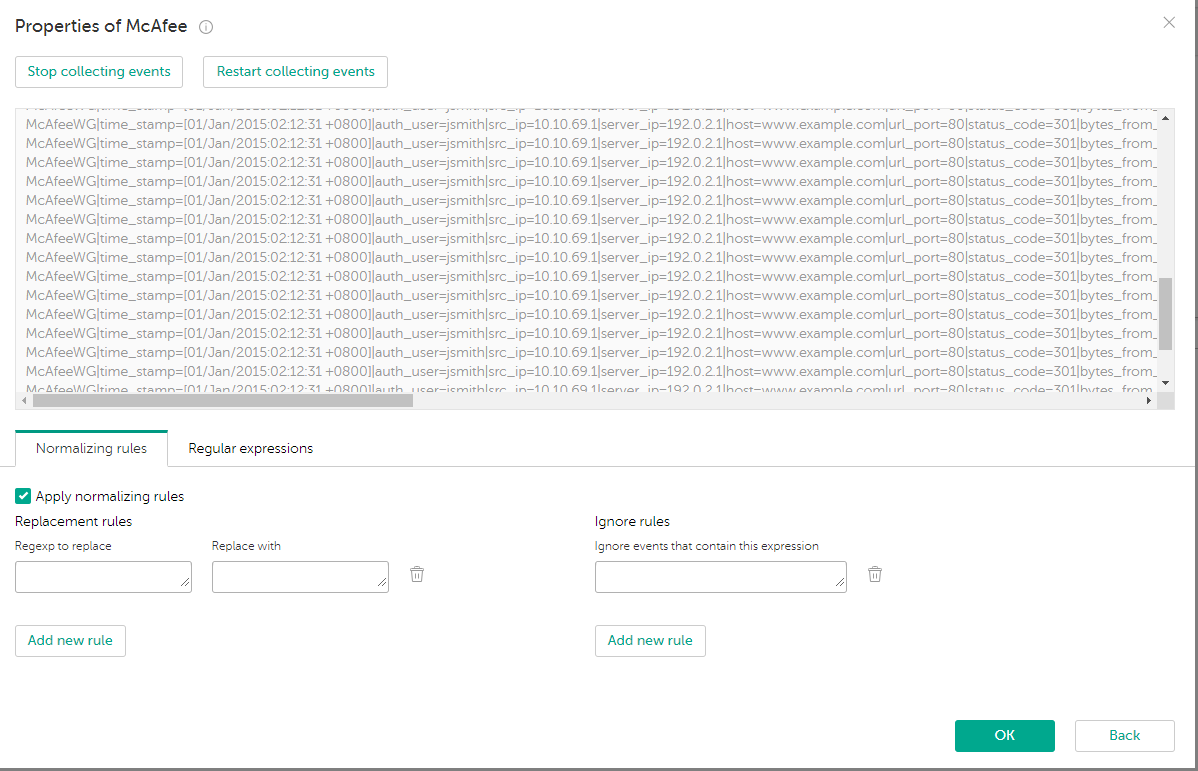
Collecting events
- Stop collecting events. Regular expressions for URL and IP will be specified automatically. Replace these universal expressions with custom ones. Then add regular expressions of
CONTEXTtype.To match the user name contained in the events, add an expression named
RE_USERNAME. Specify the following value for the expression:auth_user\=(.*?)(?:\|)To match the source IP address, add an expression named
RE_SRCIP. Specify the following value for the expression:src_ip\=(.*?)(?:\|)To match the URL, add an expression named
RE_URL. Specify the following value for the expression:url\=(.*?)(?:\|)To match the HTTP status code, add an expression named
RE_HTTPCODE. Specify the following value for the expression:status_code=(\d+)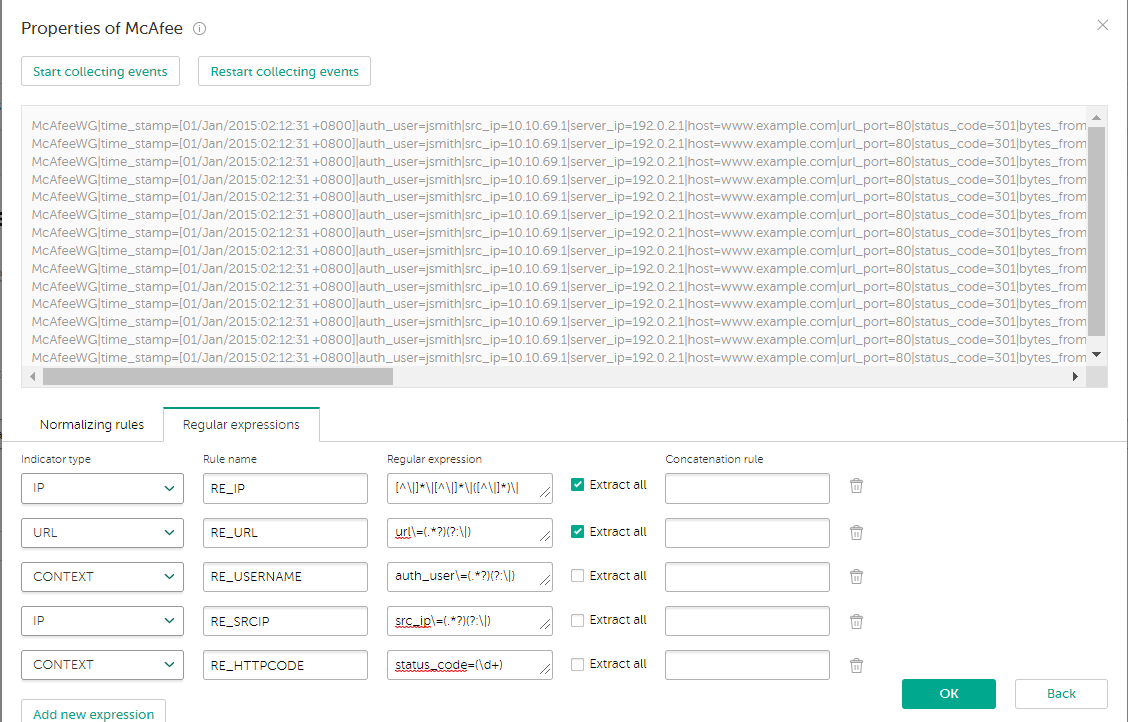
Specifying custom regular expressions
- Specify an event output format that contains these regular expressions:
eventName=%Category% matchedIndicator=%MatchedIndicator% url=%RE_URL% src=%RE_SRCIP% ip=%RE_IP% http_code=%RE_HTTPCODE% usrName=%RE_USERNAME% %RecordContext%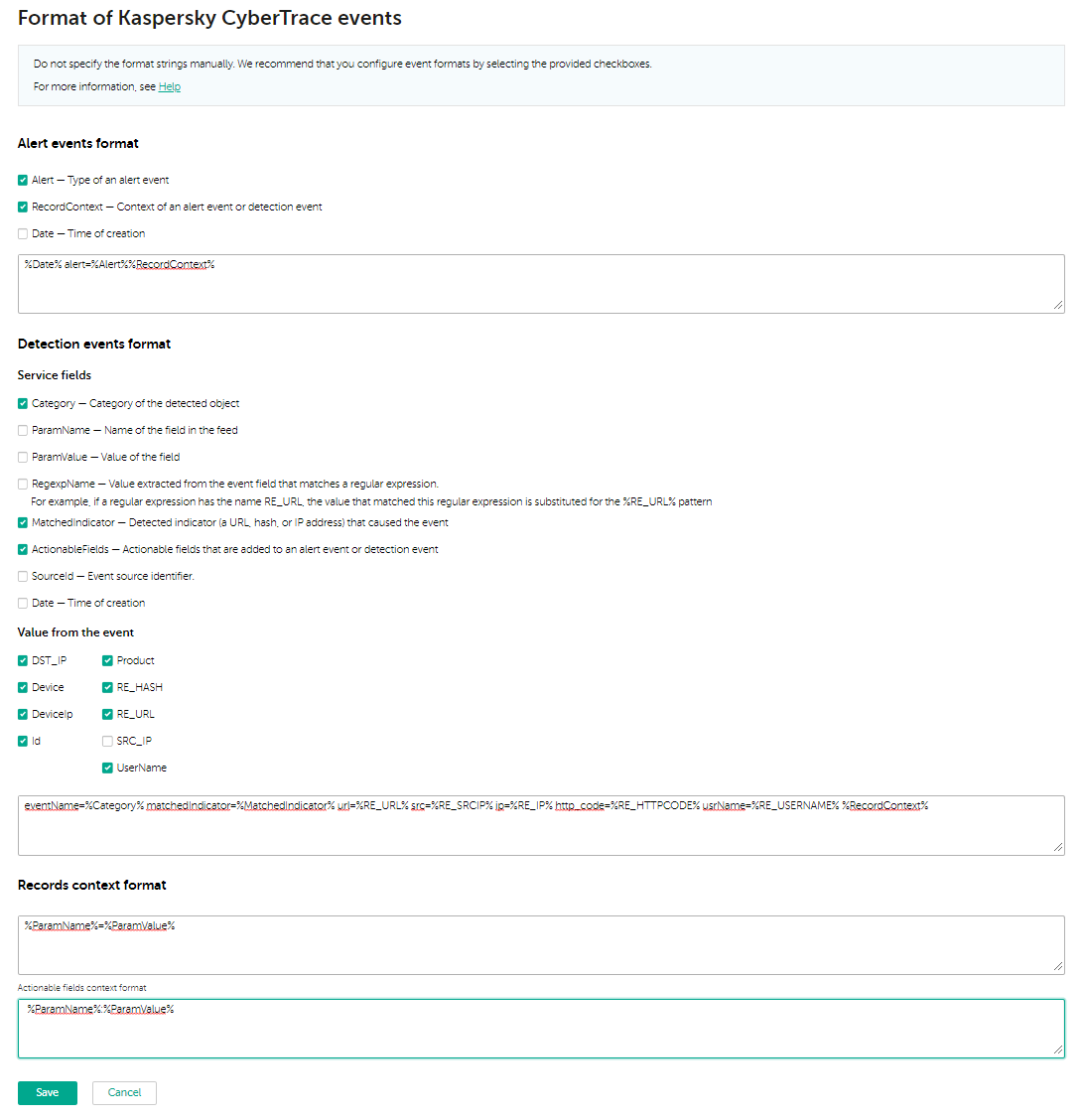
Specifying the output format of events
After the steps above are done, the detected events will contain the context fields. For example, an event from Kaspersky CyberTrace can have the following information:
device=McAfee eventName=KL_IP_Reputation matchedIndicator=192.0.2.1 url=- src=10.10.69.1 ip=192.0.2.1 http_code=301 category=test usrName=jsmith first_seen=01.01.2017 00:00 ip=192.0.2.1 ip_geo=ru last_seen=20.11.2019 10:02 popularity=1 threat_score=75
Page top