Audit section
In the Audit section (see the figure below), you can view the audit log where system security events are stored.
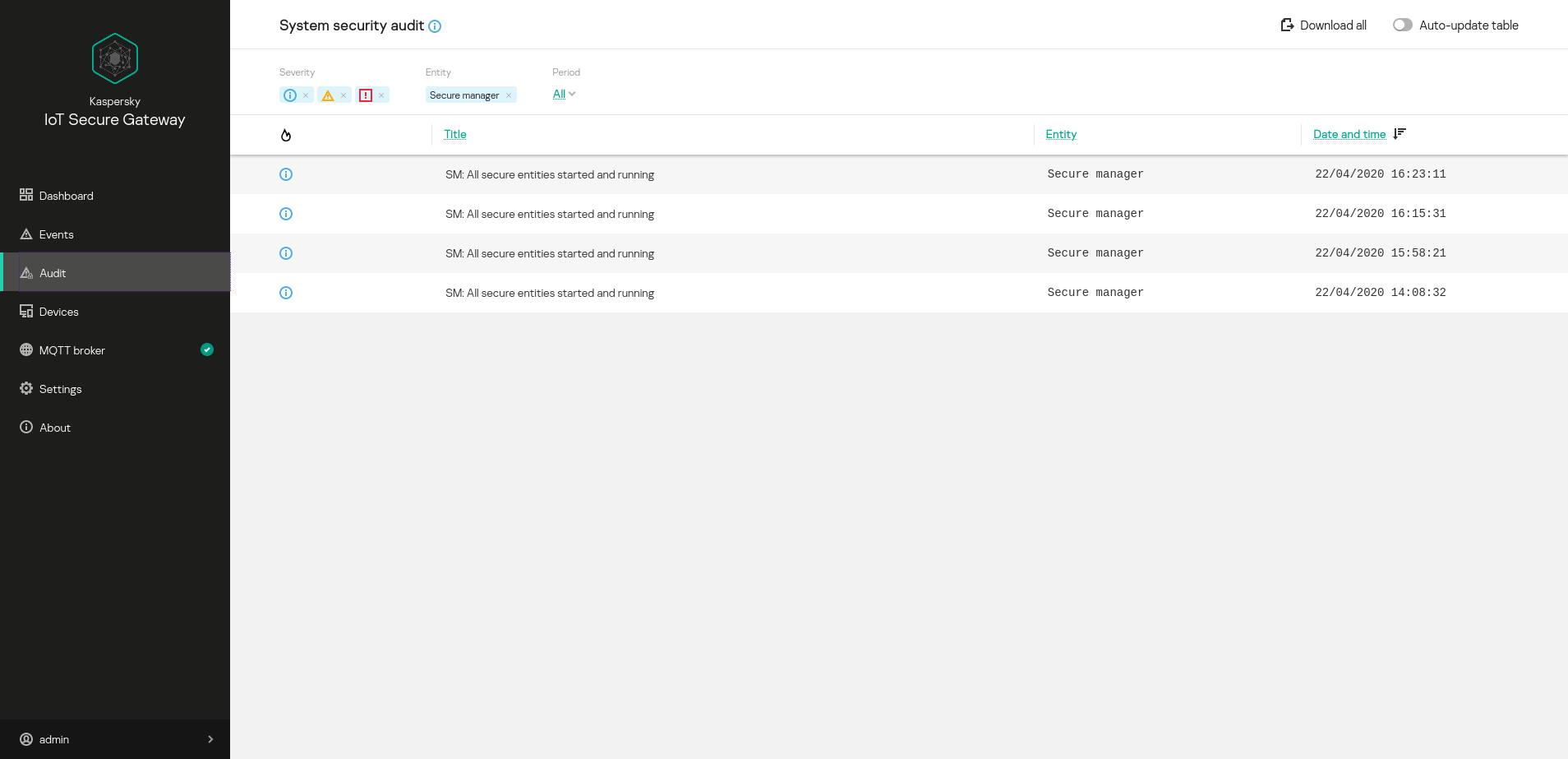
Audit section
The upper part of the Audit section has an  icon that lets you receive information about the audit settings, and a toolbar that contains the following elements for managing the system security events table:
- Download All – lets you upload an audit log from the system to the administrator's computer.
Downloading an audit log will result in its deletion from the system.
- Auto-update table – enables automatic update of event log entries on the page. If the Auto-update table toggle button is switched off, the page displays only those events that were in the audit log when the Audit section was opened.
- Severity – groups buttons for enabling and disabling event filtering based on severity level: Informational,
 Warning, and
  Critical.
 - Period – lets you select the period for displaying events:
- All – for the entire operating time of the device.
- Last day – during the past 24 hours.
- Last week – during the past week.
- Last month – during the past month.
The following information is displayed for each audit log entry:
 – severity of the event.
- Title – information about the event.
- Entity – name of the component that registered the event.
- Date and time – date and time when the event occurred.