Utilities settings block
In the Utilities settings block, you can view and edit the settings for push notifications and for forwarding network security and audit logs to a recipient Syslog server.
The Utilities settings block contains the following tabs:
- Syslog.
- Push notifications.
Syslog tab
On the Syslog tab (see the figure below), you can view and change the settings for forwarding logs containing network security events and system security audit events to a recipient Syslog server.
The main part of the Syslog tab displays the following elements:
- IP address and port field containing the IP address and port of the Syslog server to which the network security and audit logs are forwarded.
- Mode field that lets you select the protocol for forwarding logs.
- Download new certificate button for uploading a security certificate to the application.
- Save button for saving the settings.
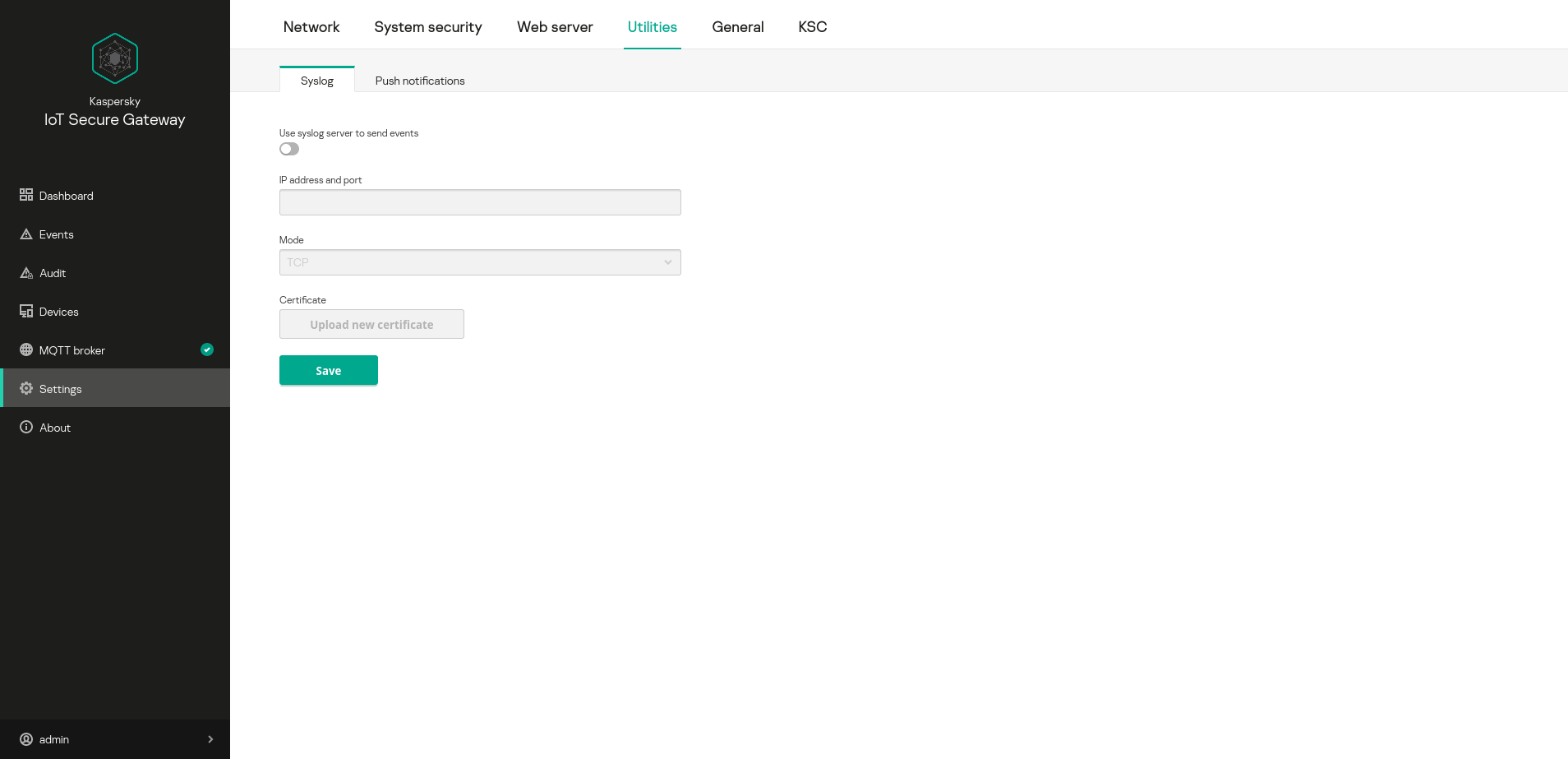
Utilities settings block. Syslog tab
Push notifications tab
On the Push notifications tab (see the figure below), you can configure the settings for forwarding push notifications to a mobile phone.
The main part of the Push notifications tab displays the following elements:
- Device name field containing the name of the device to which the push notifications are sent.
- Authorization key field containing the Firebase authorization key.
- Download new certificate button for downloading a certificate.
 icon that lets you view information about the uploaded certificate.
- Save button for saving the device name.
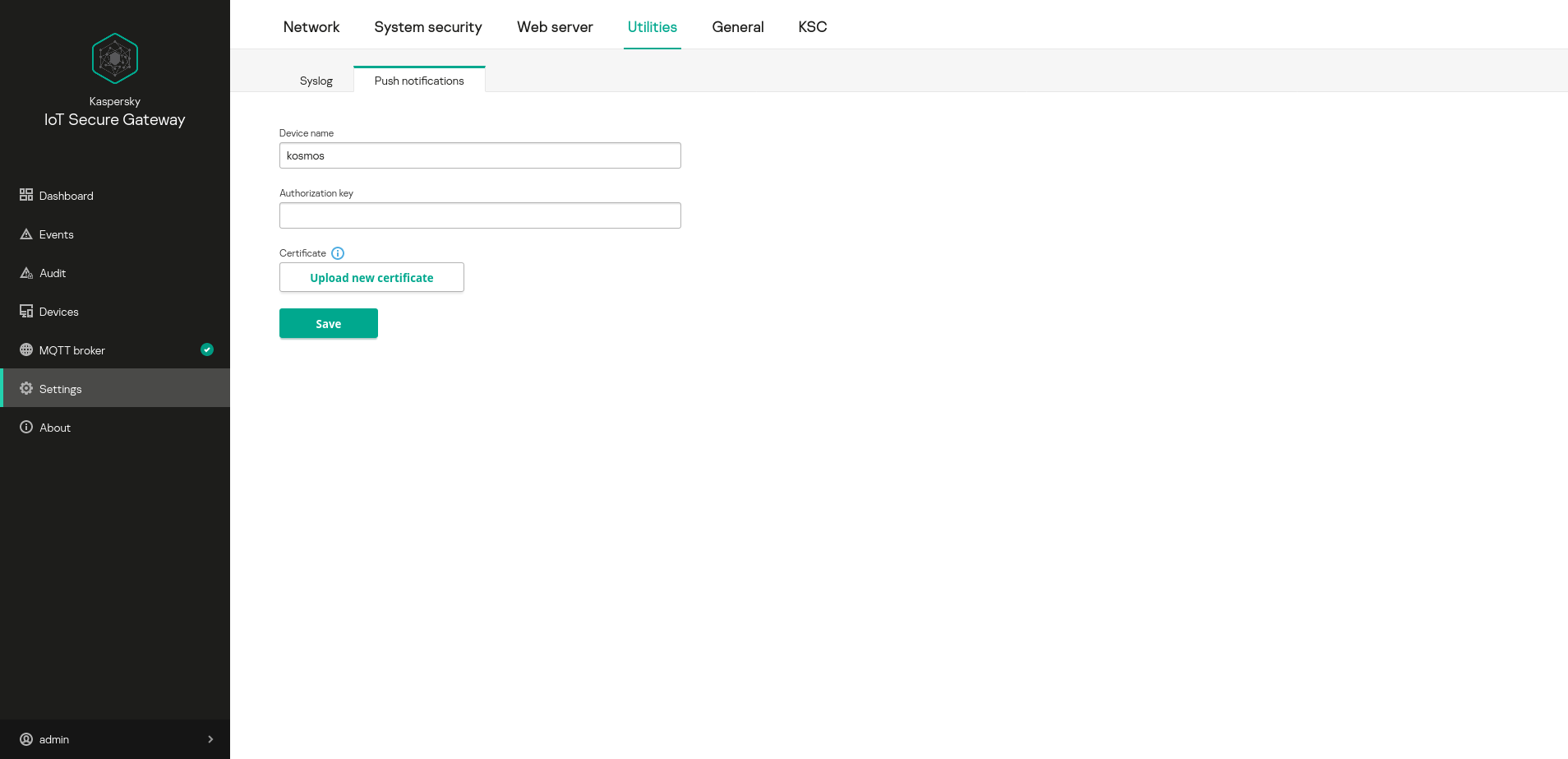
Utilities settings block. Push notifications tab