Configuring Proxy KDP-IP scheme
Traffic is switched over to Kaspersky DDoS Protection through the reverse proxy method with "Always on" traffic filtering. Kaspersky DDoS Protection can be used only to protect WEB services operating over the HTTP or HTTPS protocol.
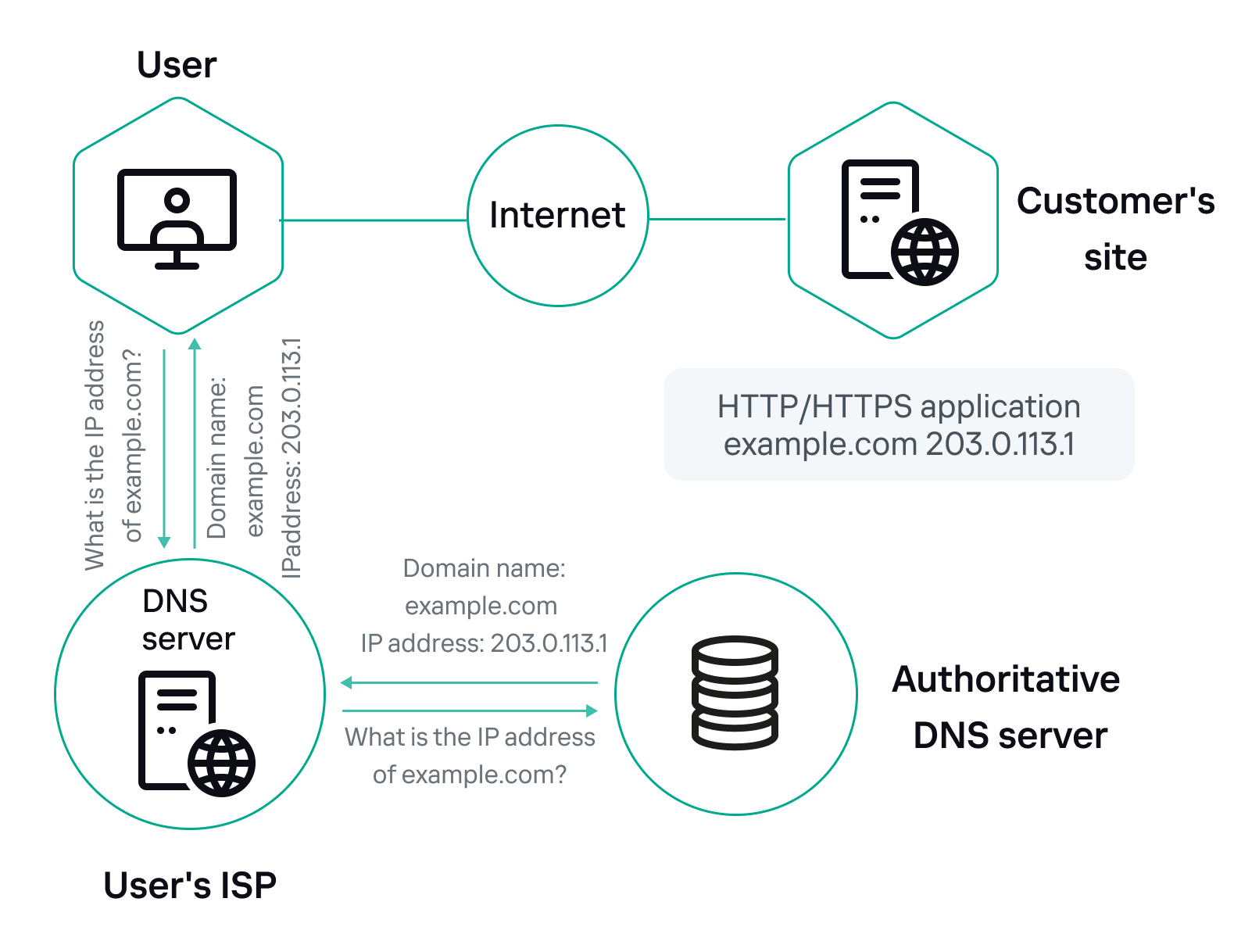
Connection steps:
- The Customer completes the checklist by specifying the parameters of resources that require protection.
- Kaspersky DDoS Protection Technical Support prepares the System to work with the new Protected resources and sends the Customer a document listing the main settings for the Customer's site and the connection time line.
- (optional) If the Protected resource operates over the HTTPS protocol, the Customer validates the release of an additional key-certificate pair for the domain.
- The Customer sets the time to live in the resource's DNS A record to TTL=300 seconds.
- The Customer replaces the Protected resource's IP address in the DNS A record with the IP address issued by Kaspersky DDoS Protection.
- The Customer blocks direct access to the Protected resource at the original IP address from all IP addresses except the addresses of the Kaspersky DDoS Protection proxy servers (the list is provided during the connection process) to prevent overload of the "last mile" channel.
Caching static content
By default, the Kaspersky DDoS Protection System is configured to cache static content of a Protected web application. The time to live of a copy of static content is set at 5 minutes.
Header size limits
The default value for an HTTP request header is 8 KB, but it can be changed at the request of the Customer.
(Optional) Working with HTTPS
To connect a Protected resource operating over the HTTPS protocol, an additional key-certificate pair must be issued for the domain. There are three ways to validate the release of an additional key-certificate pair. The Customer should select the most appropriate validation method.
- If the Customer has access to a mailbox indicated in whois, a message containing an individual link is sent to this mailbox. Clicking this link will validate release of the key-certificate pair.
- A message can also be sent to five default domain email addresses, such as admin@example.com
- Validation can also be completed by creating a special key-containing TXT record in the domain.
Maximum file size allowed for transfer
The size of files that a user can upload to a server is limited to 16 MB by default. This value can be changed at the request of the Customer.
The size of files that a user can download from a server is unlimited.
Load balancing
The Kaspersky DDoS Protection System supports load balancing for two or more upstreams. Balancing options:
Round-robin – cyclical rotation.
Least-connected – a request from the Kaspersky DDoS Protection System is directed to the least loaded server.
Ip-hash – a server is selected based on a hash function of the Customer's IP address (this method is applied when a specific Customer must be bound to a specific server).
The IP-hash option is used by default. The particular load balancing method can be changed at any time at the request of the Customer.
Default values
The values of these parameters can be changed at the request of the Customer:
Default parameters and values
Setting |
Default value |
Description |
proxy_connect_timeout |
30s |
Defines a timeout for establishing a connection with the Customer's server |
proxy_read_timeout |
60s |
Defines the timeout for reading a response from the Customer's server (specifically, this is the time between two read operations). If the Customer's server does not send forward any data within the specified time, the connection is closed |
proxy_send_timeout |
60s |
Defines the timeout for sending a request to the Customer's server (specifically, this is the time between two write operations). If the Kaspersky DDoS Protection proxy server does not receive new data within the specified time, the connection is closed |
send_timeout |
60s |
Defines a timeout for sending a response to the Customer's server (specifically, this is the time between two write operations). If the Customer's server does not receive new data within the specified time, the connection is closed |
client_max_body_size |
50 Mb |
Defines a maximum allowed size of a Customer request body which is specified in the Content-Length field of the request header. If the size of a request body is greater than the defined maximum, the error 413 Request Entity Too Large is returned to the Customer. Please be aware that browsers are not able to correctly display the error. This parameter limits the size of data uploaded to a server |