Geofiltering
The Geofiltering filtering rule is only available for users with specific connection schemes.
For more information, contact Technical Support.
To configure geo-filtering, follow these steps:
- Go to the Resources section in the main menu.
- Click the Geofilter tab.
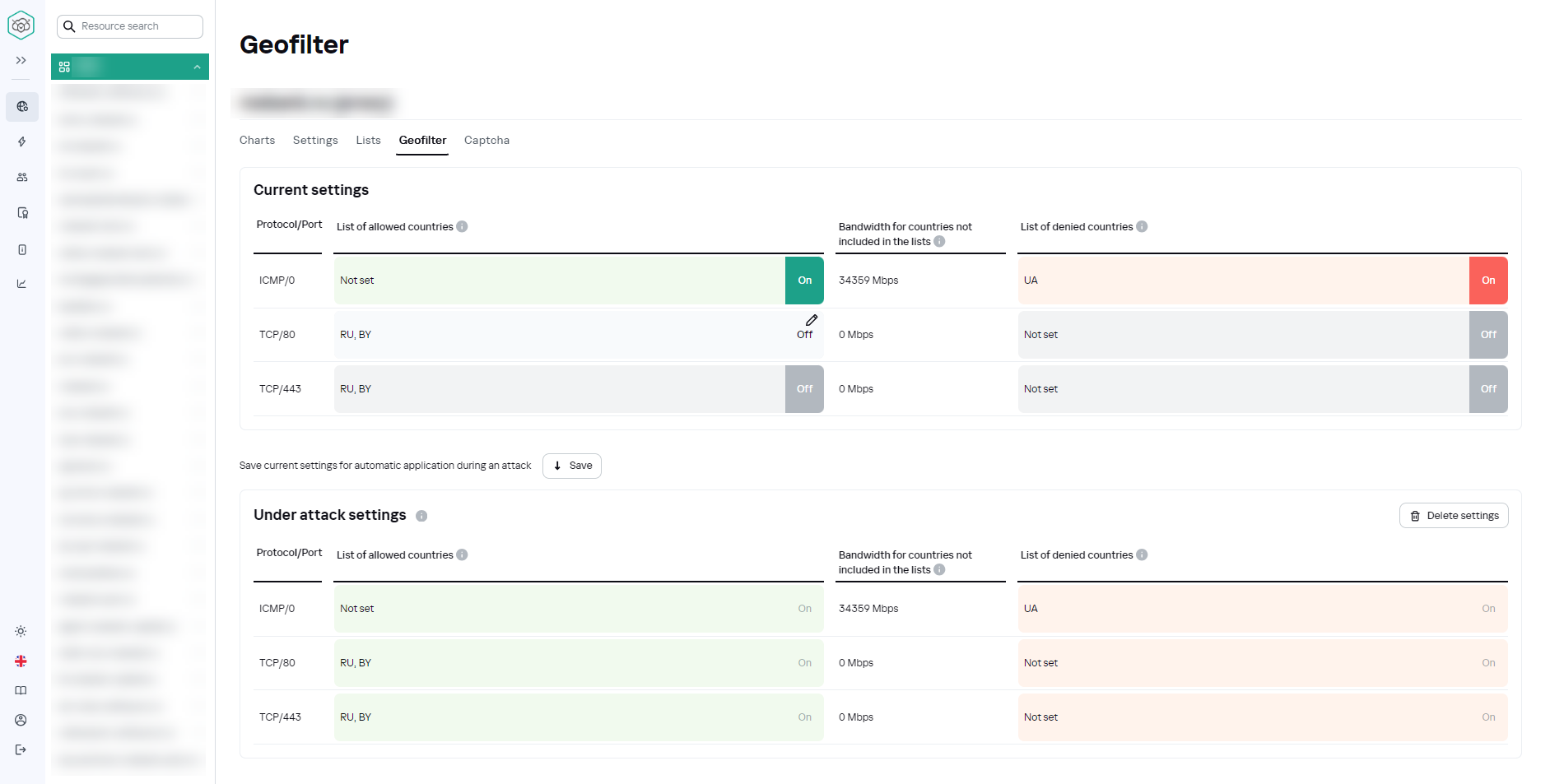
The following elements are presented in the tab interface:
- Protocol/Port – the protocol+port bundle through which the data of the protected resource is transmitted.
- List of allowed countries – list of countries from which traffic for the corresponding protocol/port will not be blocked.
- Bandwidth for countries not included in the list – values of traffic restrictions from countries not included in any list.
- List of denied countries – list of countries from which traffic for the corresponding protocol/port will be blocked.
To edit lists of allowed/denied countries, click the header or cell of the desired list. Editing menu will be opened.
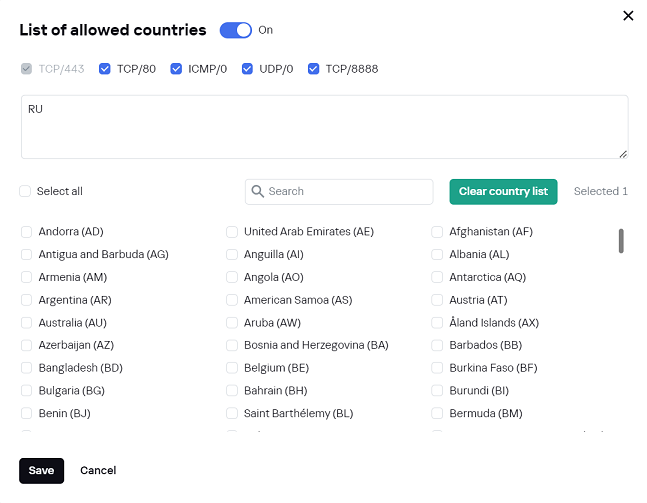
The upper part of the menu contains a list of protocol+port bundles for the resource.
The lower part of the menu contains a field for editing the list of countries for which geo-filtering settings are applied. Unless the field is filled in, it is not possible to save the changes. If incorrect data is entered in the field, the following window will be displayed:
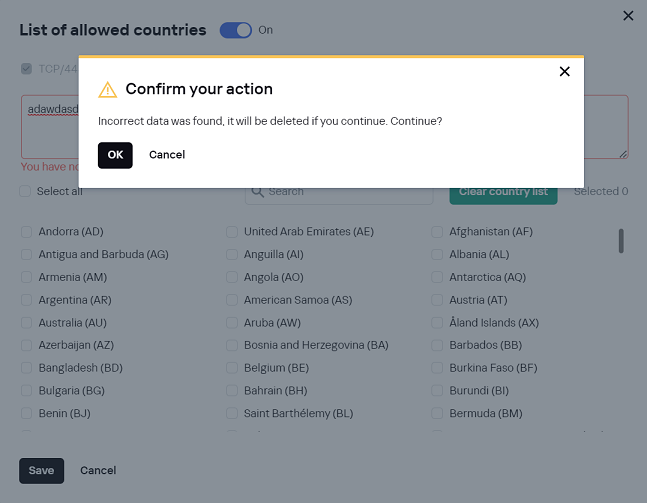
- Click OK to delete the incorrect data. The editing menu will be closed.
- Click Cancel to continue editing.