Excluding accounts from two-factor authentication
You can exclude user accounts from two-factor authentication to allow them to sign in to Administration Server even if they have not configured two-factor authentication. Excluding accounts from two-factor authentication may be necessary for integration accounts that cannot provide a one-time security code during authentication. Integration accounts are used to run scripts through OpenAPI.
You can modify the exclusion list if two-factor authentication is configured for your account and you have the Modify object ACLs right in the General features: User permissions functional area.
To exclude a user account from two-factor authentication:
- In the main menu, click the Administration Server name.
The Administration Server properties window opens.
- On the Two-factor authentication tab of the properties window, in the Two-factor authentication exclusions table, click the Add button.
- In the window that opens:
- Select the user account that you want to exclude.
- If the account is protected against unauthorized modification, you must confirm that you have the permissions to change this account. In the Account protection window, specify the credentials of your own account and one-time security code for two-factor authentication.
- Save the changes.
The selected user accounts are excluded from two-factor authentication, and their secret keys are deleted if they exist. The list of excluded accounts is not changed when you restore a backup on Administration Server 16.1, or upgrade Administration Server to version 16.1 or later. If the accounts from the exclusion list had secrets in the previous version of the Administration Server, these secret keys will be deleted in 16.1.
You can delete user accounts from the exclusion list to completely block users from signing in to Web Console and to prevent users from accessing Administration Server.
To delete user accounts from the exclusion list:
- In the main menu, click the Administration Server name.
The Administration Server properties window opens.
- On the Two-factor authentication tab of the properties window, in the Two-factor authentication exclusions table, select the user accounts that you want to delete, and then click Delete.
- If the account is protected against unauthorized modification, you must confirm that you have the permissions to change this account. In the Account protection window, specify the credentials of your own account and one-time security code for two-factor authentication.
The selected user accounts are deleted from the exclusion list.
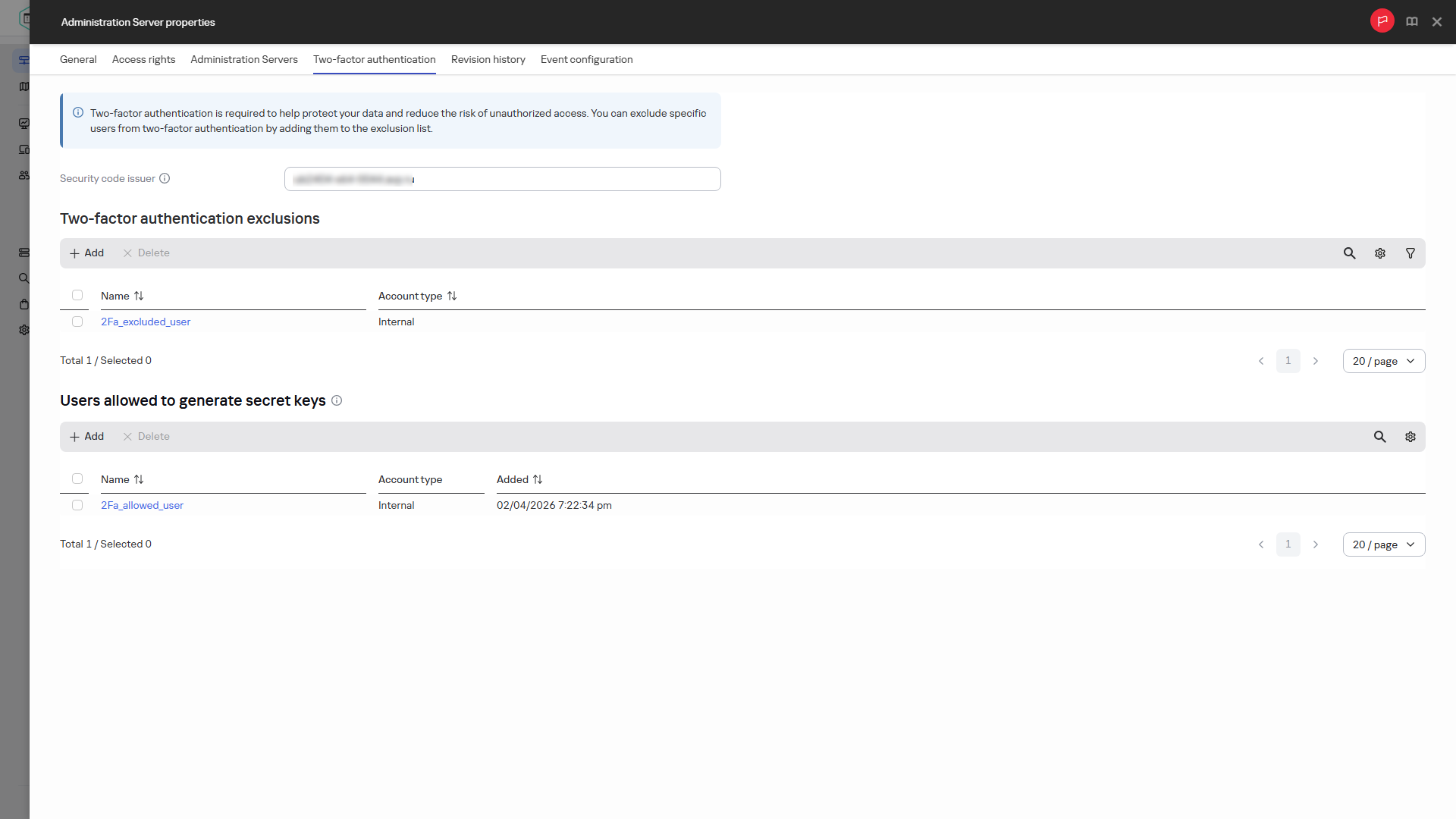
Configuring the two-factor authentication exclusion list
Page top