Using Kaspersky Threat Intelligence Portal for Splunk
Kaspersky Threat Intelligence Portal for Splunk is accessible by browser. The certificate for Kaspersky Threat Intelligence Portal must be imported to the browser before you can use the app.
To use Kaspersky Threat Intelligence Portal:
- In Splunk, install Kaspersky Threat Intelligence Portal for Splunk.
Import the Kaspersky-Threat-Intelligence-Portal-for-Splunk.tar.gz file that you received from your technical account manager (TAM) or downloaded from the Splunk web site.
- In the Splunk main menu, navigate to Splunk > Apps > Kaspersky Threat Intelligence Portal for Splunk.
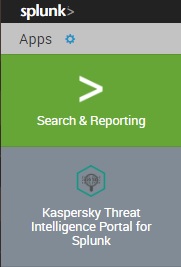
Kaspersky Threat Intelligence Portal for Splunk
The Kaspersky Threat Intelligence Portal for Splunk dashboard opens.
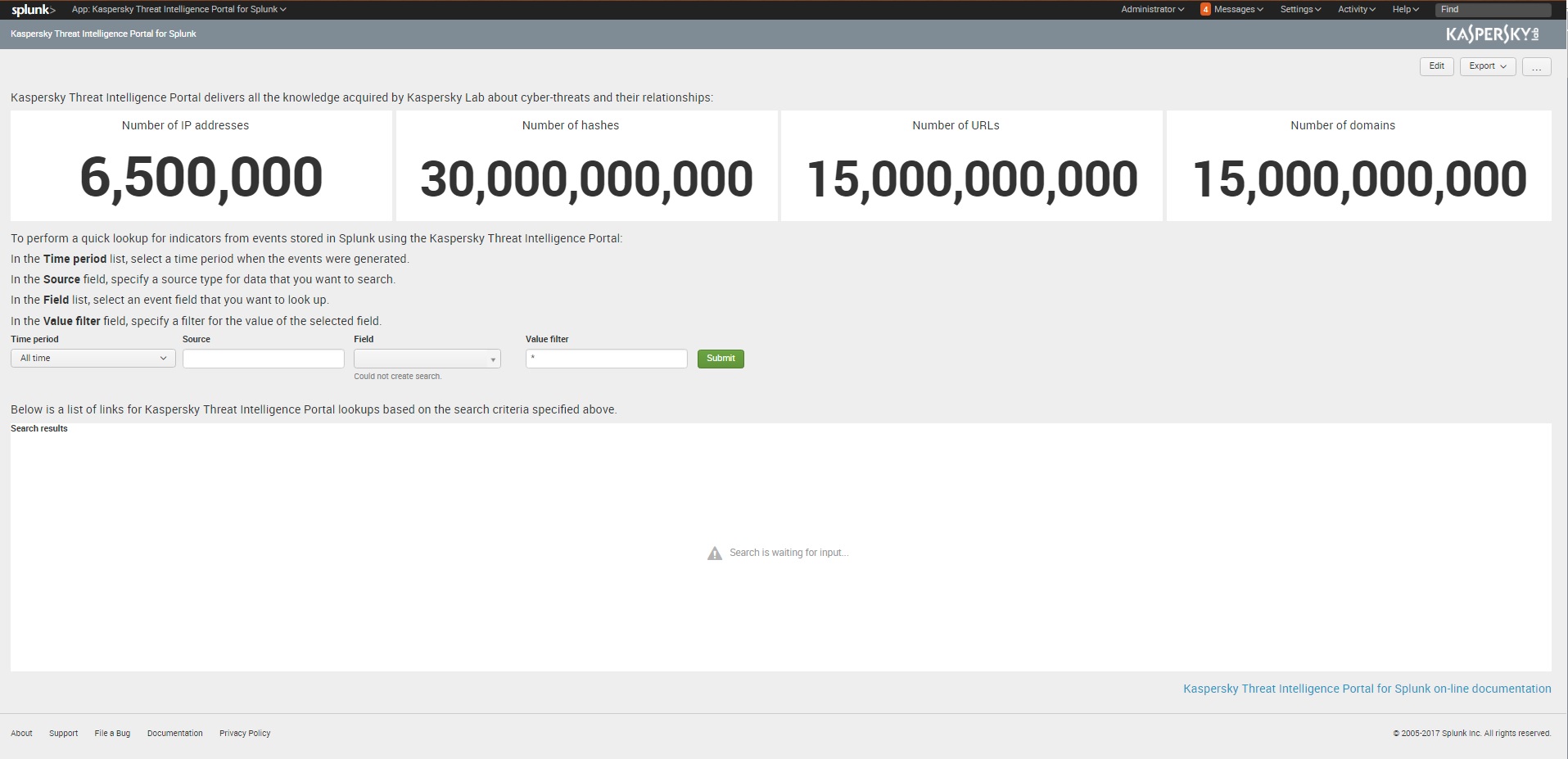
Kaspersky Threat Intelligence Portal for Splunk dashboard
- In the Time period drop-down list, select the time period during which the events to be displayed are generated.
- In the Source entry field, specify the source type of data that you want to search for. You can specify the source type in the following ways:
- Exact value
- Substring of the value
- The wildcard character (
*), which means all source types
- In the Field drop-down list, select the event field for which you want to make a search in Kaspersky Threat Intelligence Portal. This list is filled automatically when you select the source type. Over time, the list can be filled with more items as Splunk continues searching the large mass of data.
- In the Value filter entry field, you can specify the filter for the value of the selected field. Every item in the search result will contain the string that you entered.
For example, if an IP address field is selected and you want to search for IP addresses that contain
192.0.2.as a substring, specify192.0.2.in the Value filter field.By default, the Value filter field contains the wildcard character (
*), and all values for the specified field will be included in the search result. - Click Submit.
The Search results table will contain data relevant for the query.
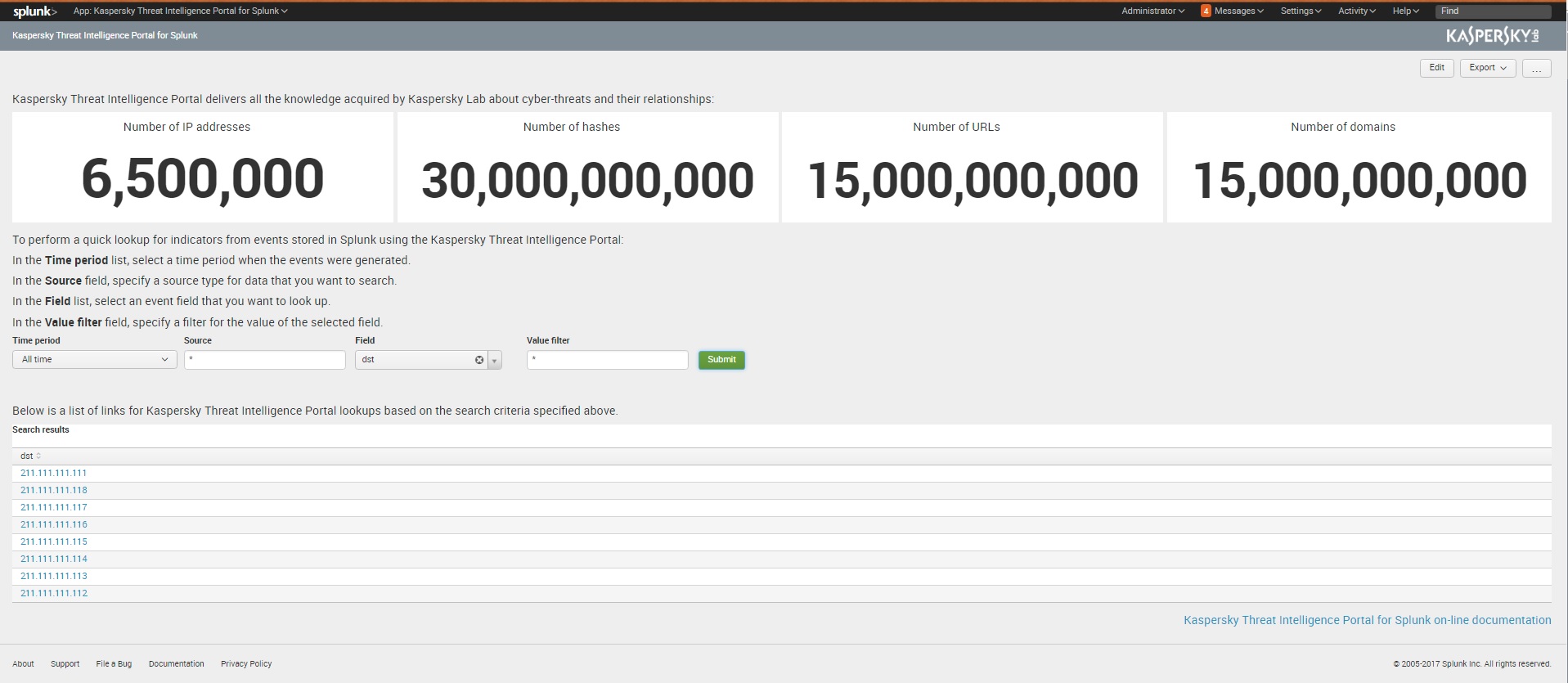
Kaspersky Threat Intelligence Portal for Splunk search result
- In the Search results table, click the value for which you want to run a query in Kaspersky Threat Intelligence Portal. A new browser window with a Kaspersky Threat Intelligence Portal web page will open, displaying the threat intelligence for the data selected.
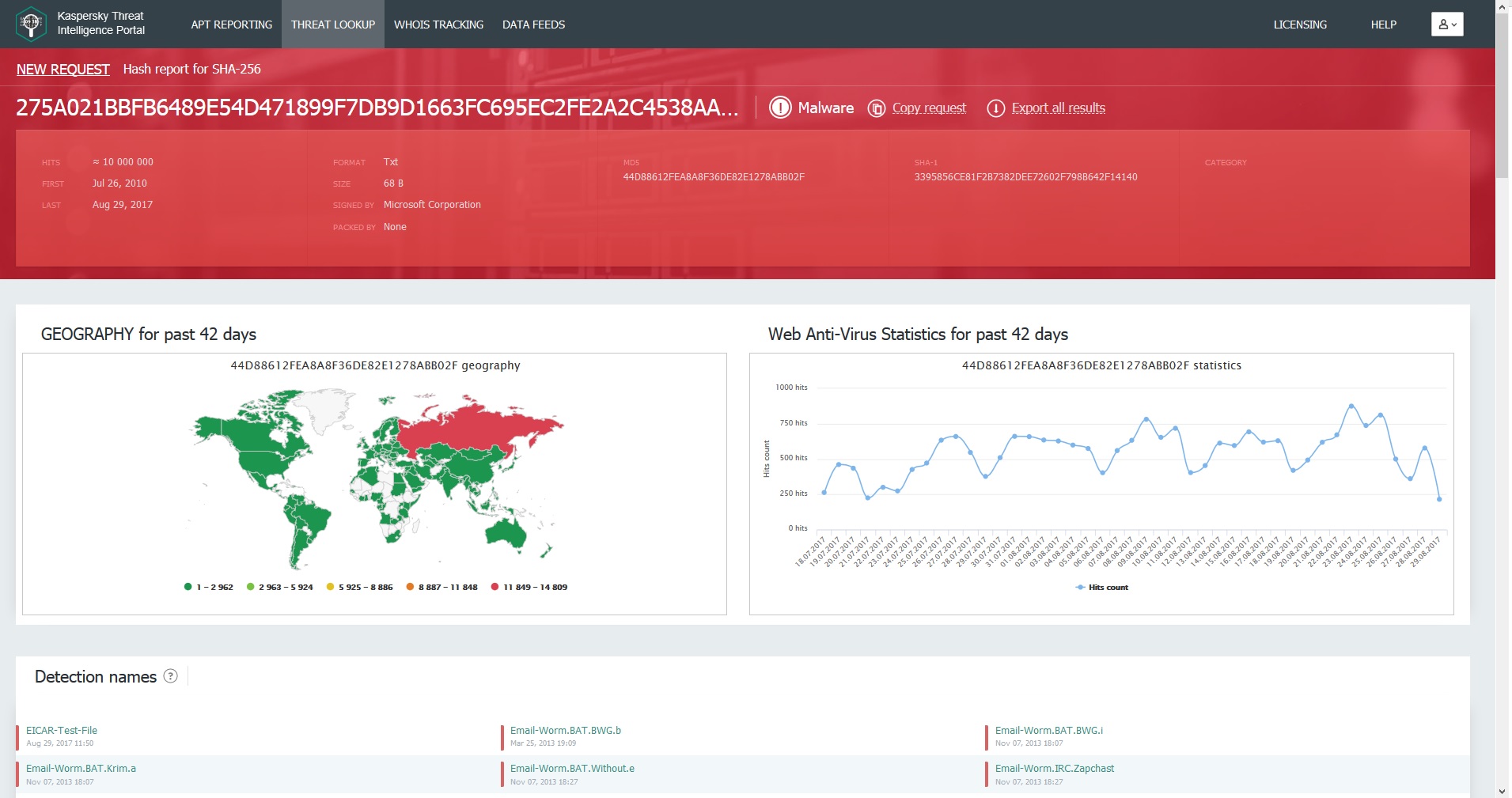
Threat intelligence sample
For more information about Kaspersky Threat Intelligence Portal, refer to the documentation displayed after you click the HELP link in the upper right area of the Kaspersky Threat Intelligence Portal window. The current Kaspersky Threat Intelligence Portal for Splunk documentation is accessible through the Kaspersky Threat Intelligence Portal for Splunk on-line documentation link in the lower right area of the app window.
Page top