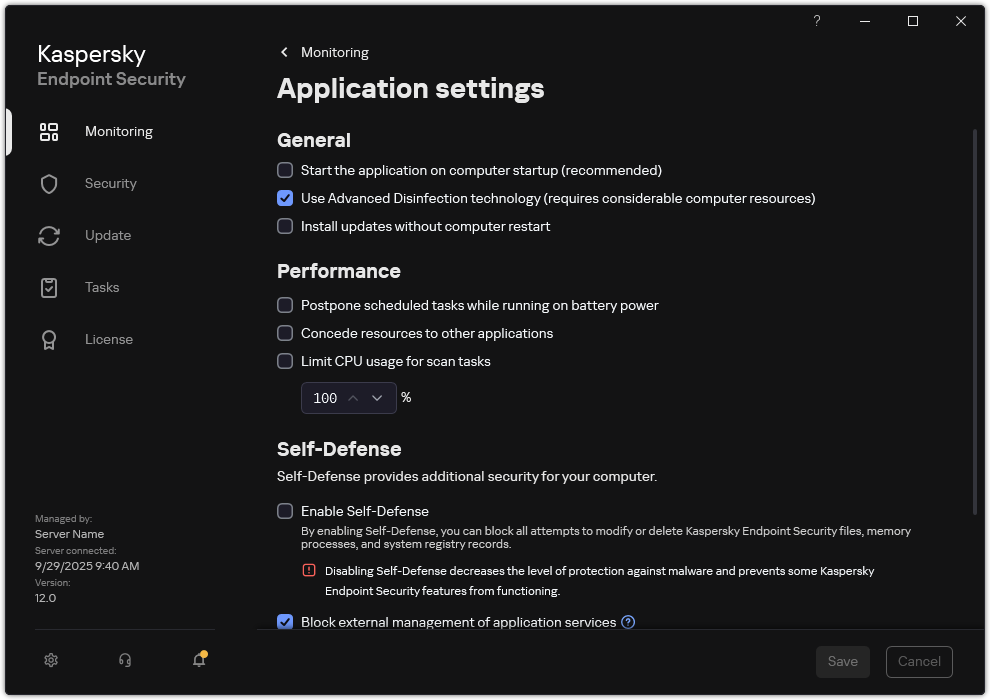
Enabling or disabling conceding of resources to other applications
Consumption of computer resources by Kaspersky Endpoint Security when scanning a computer may increase the load on the CPU and hard drive subsystems. This may slow down other applications. To optimize the performance, Kaspersky Endpoint Security provides a mode for transferring resources to other applications. In this mode, the operating system can decrease the priority of Kaspersky Endpoint Security scan task threads when the CPU load is high. This allows redistributing operating system resources to other applications. Thus, scan tasks will receive less CPU time. As a result, Kaspersky Endpoint Security will take longer to scan the computer. By default, the application is configured to concede resources to other applications.
In the main window of the Web Console, select Assets (Devices) → Policies & profiles.
Click the name of the Kaspersky Endpoint Security policy.
The policy properties window opens.
Select the Application settings tab.
Go to General Settings → Performance.
In the Concede resources to other applications block, use the Concede resources to other applications toggle switch to enable or disable conceding of resources to other applications.
 button.