Configuration of Kaspersky Threat Data Feeds in Microsoft Sentinel
To import Kaspersky Threat Intelligence Data Feeds into Microsoft Sentinel as TAXII Threat Intelligence source:
- Create Log Analytics workspace in your Microsoft Azure Account.
- Add Microsoft Sentinel into your workspace.
- Open the Threat Intelligence – TAXII connector:
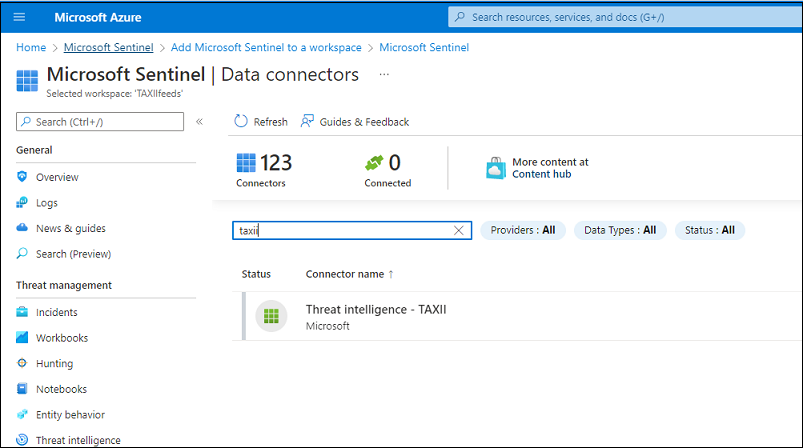
Opening the connector
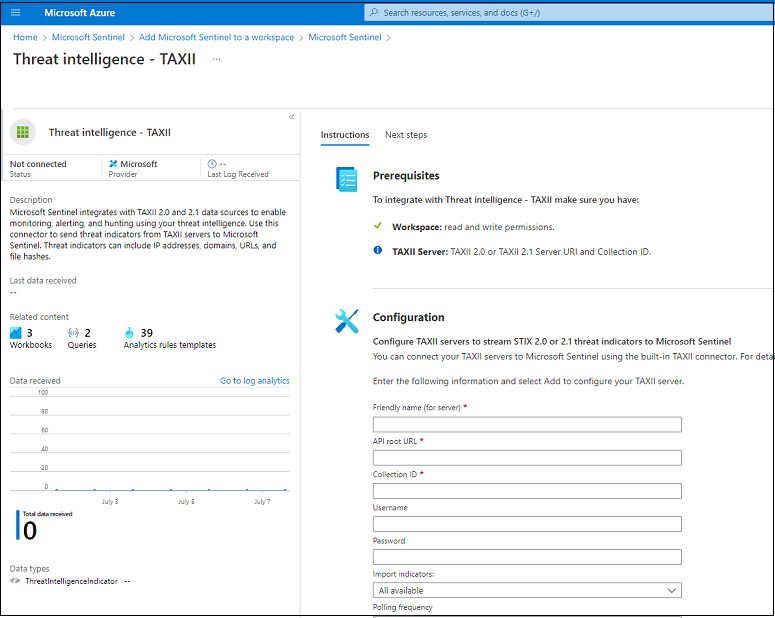
Opening the connector
- Configure the connector as follows:
- Friendly name (for server): specify the friendly name of the TAXII server.
- API Root URL: https://taxii.tip.kaspersky.com/v2/.
- Collection ID: specify the Collection ID for one of the supported collections.
You can check the ID of the specified collection by sending the following request:
curl -v -k -H "Accept: application/taxii+json;version=2.1" -u taxii:<TOKEN>https://taxii.tip.kaspersky.com/v2/collections/ - Username: taxii
- Password: Specify your token. To obtain a trial or commercial token, please contact intelligence@kaspersky.com.
- Import indicators: Select an appropriate option (e.g. All available).
- Polling frequency: Select an appropriate option (e.g. Once_an_ hour).
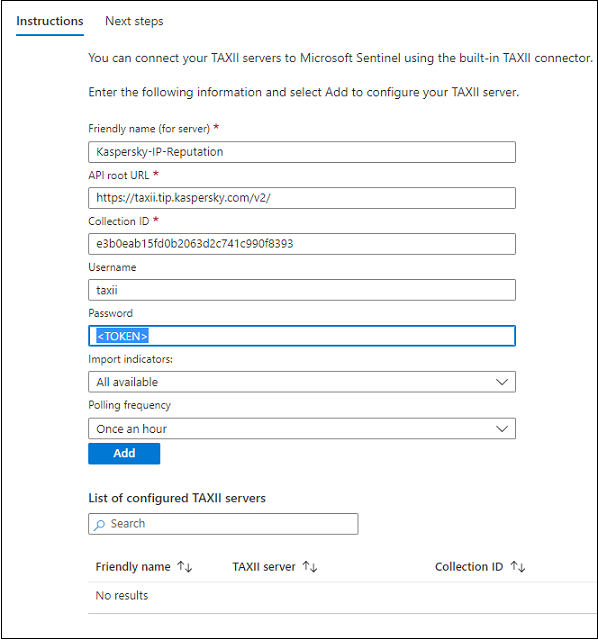
Configuring the connector
- Click Add.
After the indicators are pulled, you can use Kaspersky Threat Intelligence Data Feeds in Microsoft Sentinel:
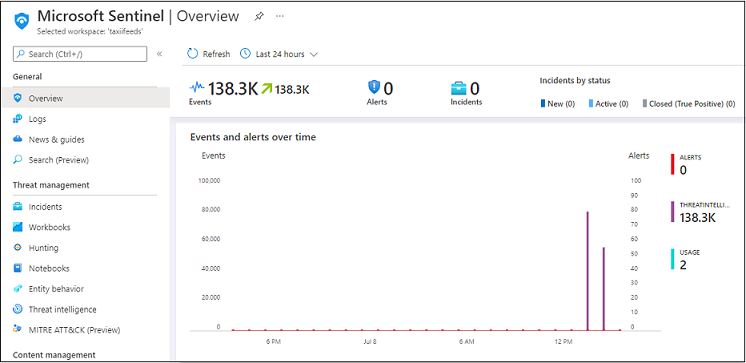
Overview window
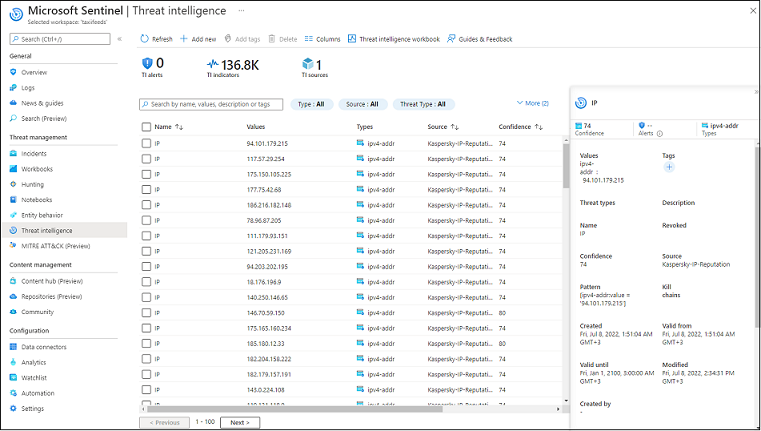
Threat Intelligence window
Page top