Application Protection and Control tab
The Protection and Control tab of Kaspersky Endpoint Security is intended for providing general information about the performance of all tasks and the operation of all application components. On this tab, you can also regulate the operation of components and the performance of tasks.
The Application Protection and Control tab consists of three parts (see the figure below):
- The Endpoint control section contains a list of control components.
- The Manage protection section contains a list of Anti-Virus protection components.
- The Tasks section contains a list of local tasks that are run on the computer.
Each section contains control elements that you can use to enable or disable the operation of a component, go to the settings for the selected component or task, and view operating statistics for the selected component or task.
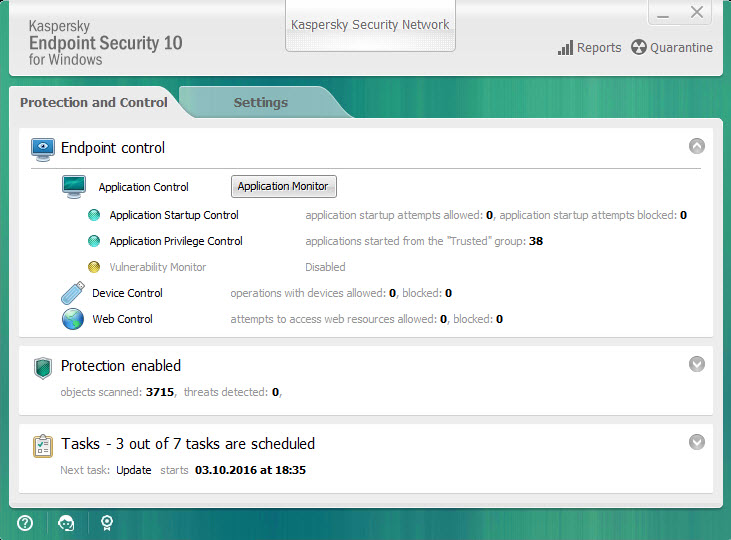
Application Protection and Control tab
To open the Application Protection and Control tab, perform one of the following actions:
- In the main application window, select the Protection and Control tab.
- Click the application icon in the Microsoft Windows taskbar notification area.
- Select Kaspersky Endpoint Security 10 for Windows in the context menu of the application icon.