Building and running the echo example
The build scheme for the echo example looks as follows:
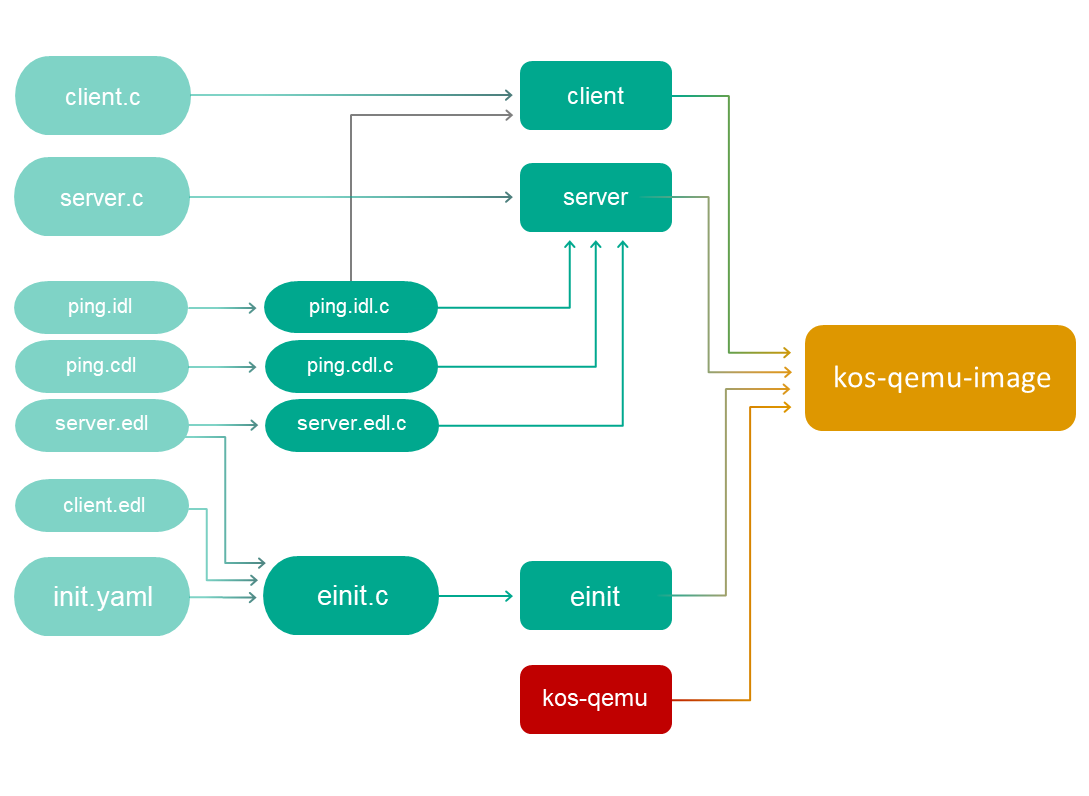
Building the client and server entities
Prior to building the client and server entities, you need to process the static description files of the server by using the NK compiler:
nk-gen-c -I $SDK/sysroot-x86_64-pc-kos/include ping.idl
nk-gen-c -I $SDK/sysroot-x86_64-pc-kos/include ping.cdl
nk-gen-c -I $SDK/sysroot-x86_64-pc-kos/include server.edl
(Hereinafter: SDK=/opt/KasperskyOS-StarterKit-<version>.)
The NK compiler creates the ping.idl.h, ping.cdl.h and server.edl.h files, and the ping.idl.c, ping.cdl.c and server.edl.c files. These files contain the transport methods and types used on the server and on the client.
Building the client and server entities:
x86_64-pc-kos-gcc -o client client.c ping.idl.c
x86_64-pc-kos-gcc -o server server.c ping.idl.c ping.cdl.c server.edl.c
Building the initializing entity
To build the einit entity, the client.edl.h and server.edl.h files will be required.
The server.edl.h file was already created in the previous step. Now you just need to generate client.edl.h:
nk-gen-c -I $SDK/sysroot-x86_64-pc-kos/include client.edl
The code of the initializing entity (einit.c) is generated by using the einit tool:
einit -I $SDK/sysroot-x86_64-pc-kos/include -I . init.yaml -o einit.c
Building the einit initializing entity:
x86_64-pc-kos-gcc -I . -o einit einit.c
Building a solution image
You can now build a solution image containing an image of the KasperskyOS kernel (kos-qemu), and the client, server and einit entities:
makeimg --target=x86_64-pc-kos \
--sys-root=$SDK/sysroot-x86_64-pc-kos \
--with-toolchain=$SDK/toolchain \
--ldscript=$SDK/libexec/x86_64-pc-kos/kos-qemu.ld \
--img-src=$SDK/libexec/x86_64-pc-kos/kos-qemu \
--img-dst=kos-qemu-image \
client server
The einit entity does not need to be indicated because it will be automatically included in the solution image.
Running the echo example
To run the built solution image under QEMU, run the following command:
qemu-system-x86_64 -m 1024 -serial stdio -kernel kos-qemu-image
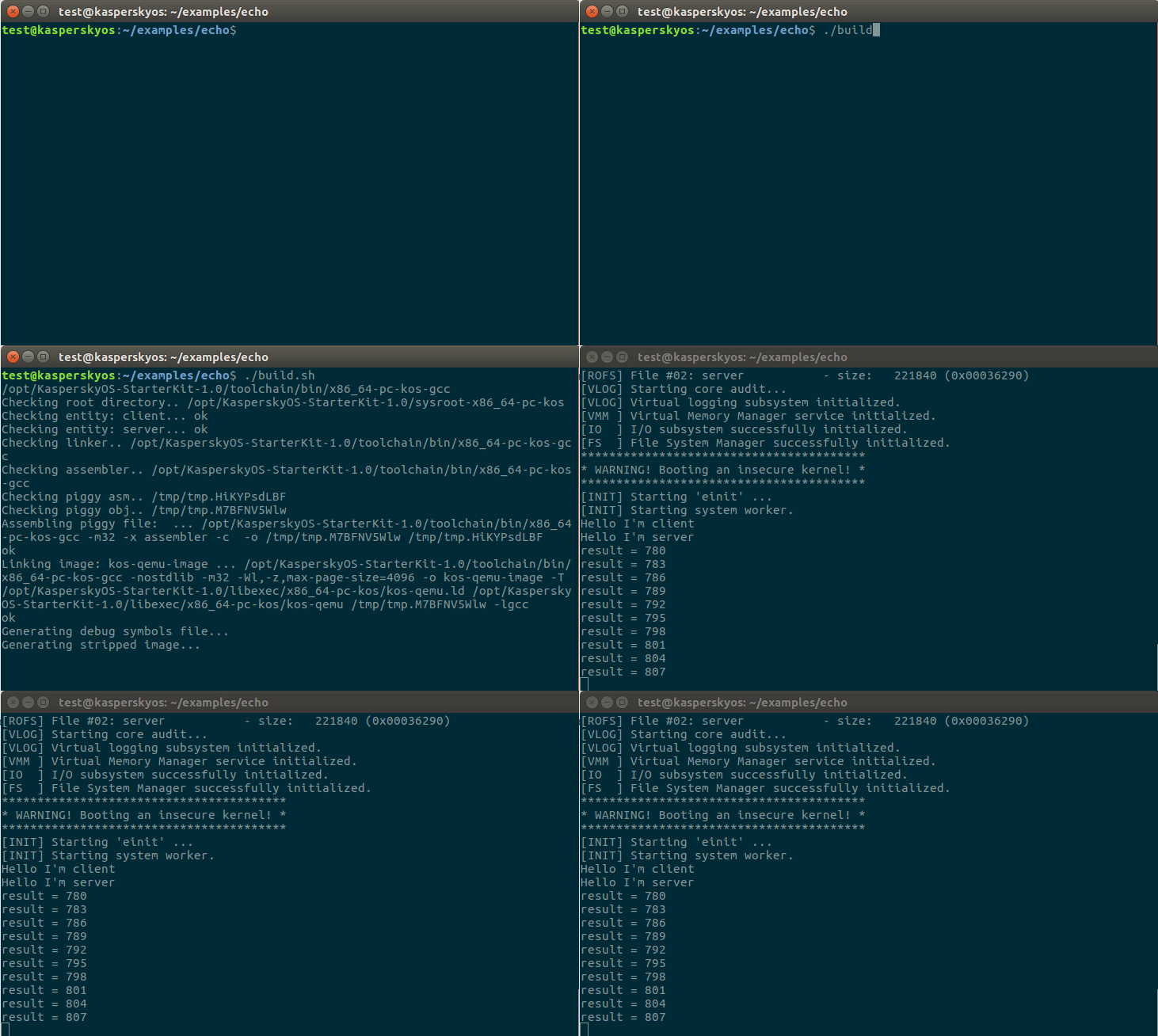
Building and running the echo example using the build.sh script containing all of the above commands
Page top