Building and running the fat example
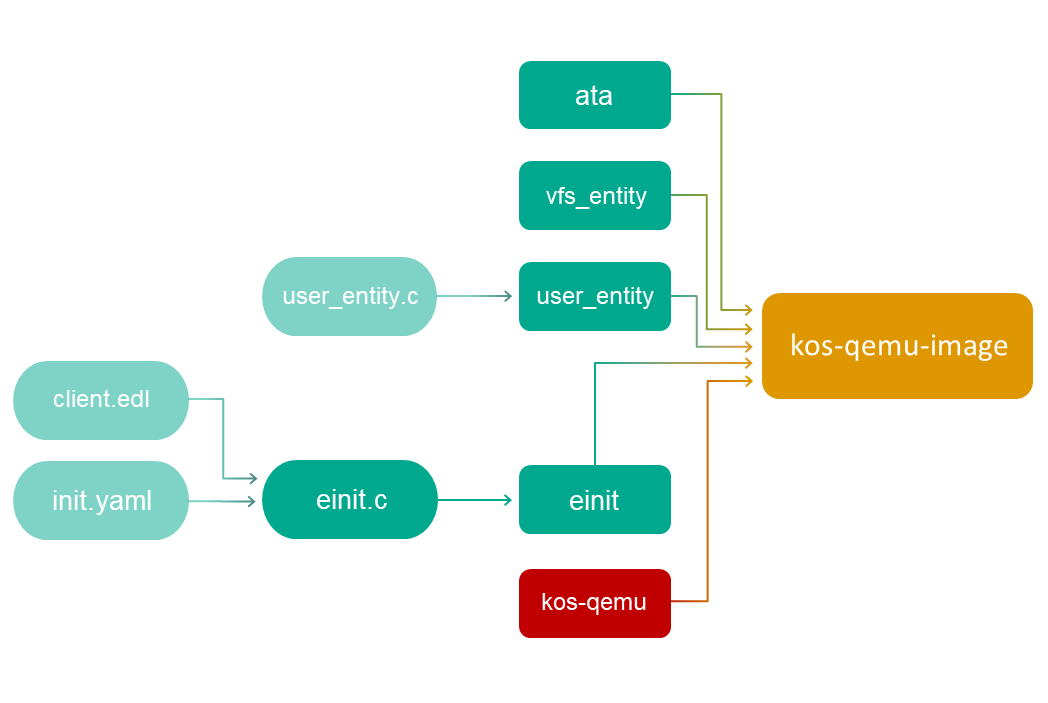
The build scheme for the fat example looks as follows:
Building user_entity
When building user_entity, it must be linked to the vfs_remote library:
x86_64-pc-kos-gcc -o user_entity -L $SDK/sysroot-x86_64-pc-kos/lib user_entity.c -lvfs_remote
Hereinafter: SDK=/opt/KasperskyOS-StarterKit-<version>.
Building the initializing entity
Building the einit entity will require the user_entity.edl.h file, which needs to be generated using the NK compiler:
nk-gen-c -I $SDK/sysroot-x86_64-pc-kos/include user_entity.edl
The code of the initializing entity (einit.c) is generated by using the einit tool:
einit -I $SDK/sysroot-x86_64-pc-kos/include -I . init.yaml -o einit.c
Building the einit initializing entity:
x86_64-pc-kos-gcc -I . -o einit einit.c
Building a solution image
Now you just need to build the solution image containing the KasperskyOS kernel image (kos-qemu), and the user_entity, vfs_entity, ata and einit entities:
makeimg --target=x86_64-pc-kos \
--sys-root=$SDK/sysroot-x86_64-pc-kos \
--with-toolchain=$SDK/toolchain \
--ldscript=$SDK/libexec/x86_64-pc-kos/kos-qemu.ld \
--img-src=$SDK/libexec/x86_64-pc-kos/kos-qemu \
--img-dst=kos-qemu-image \
user_entity $SDK/sysroot-x86_64-pc-kos/bin/vfs_entity \
$SDK/sysroot-x86_64-pc-kos/bin/ata
The einit entity does not need to be indicated because it will be automatically included in the solution image.
Preparing the virtual disk image
First you need to create a partition table and a partition for the fat32 file system:
dd if=/dev/zero of=fat.fs bs=1M count=2
parted -s fat.fs mktable msdos
parted -s -a optimal fat.fs mkpart p fat32 "0%" "100%"
You can use a loop device to create the file system:
LOOP=$(losetup -o 512 -f fat.fs --show)
mkdosfs -F32 $LOOP
losetup -d $LOOP
Running the fat example
When running the solution under QEMU, you must specify the -device and -drive flags to connect the virtual disk image:
qemu-system-x86_64 -m 1024 -serial stdio -kernel kos-qemu-image \
-device ahci,id=ahci \
-drive id=disk1,file=fat.fs,if=none -device ide-drive,drive=disk1,bus=ahci.0
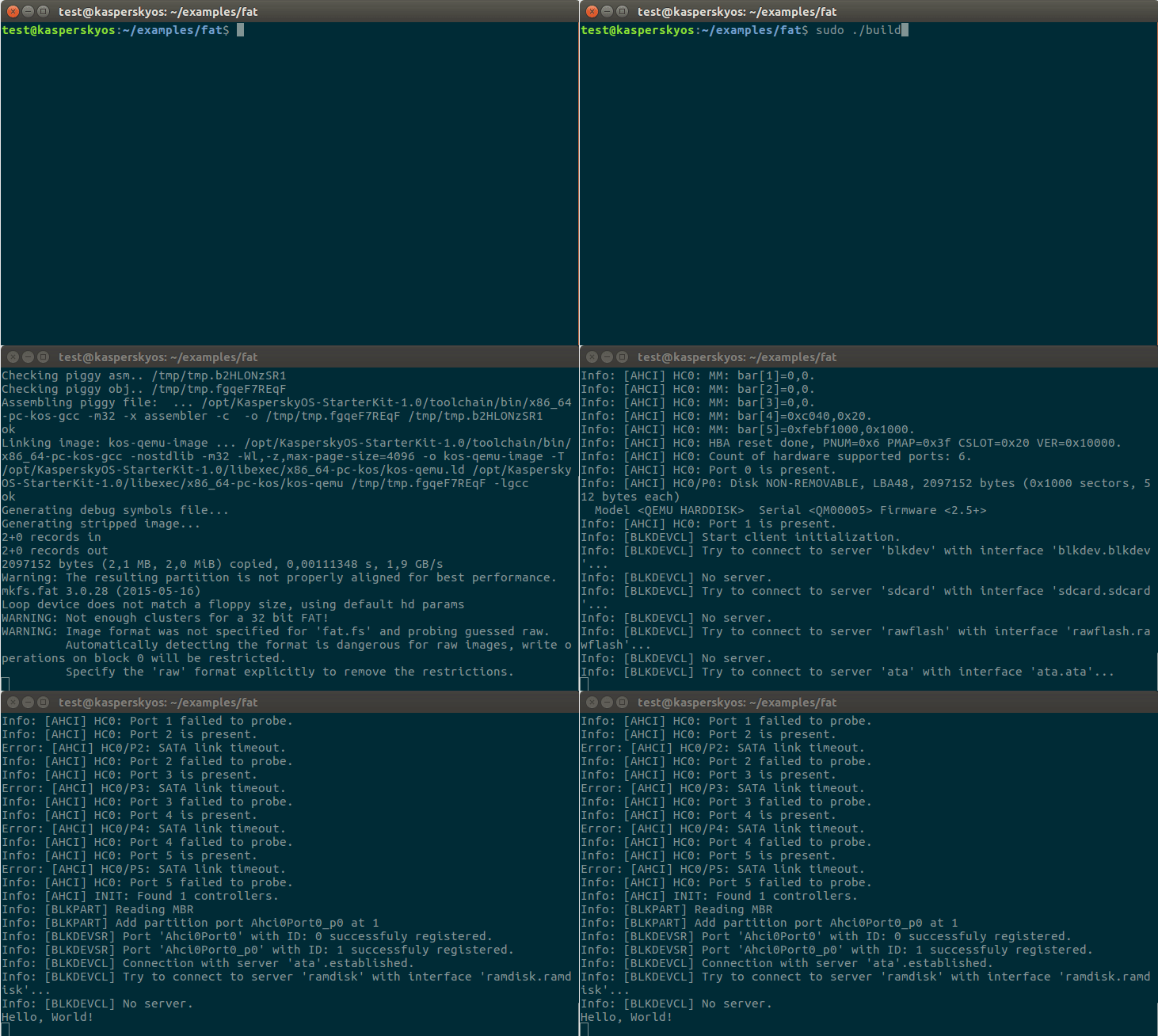
Building and running the fat example using the build.sh script containing all of the above commands
Page top