Building and running the ping example
The build scheme for the ping example looks as follows:
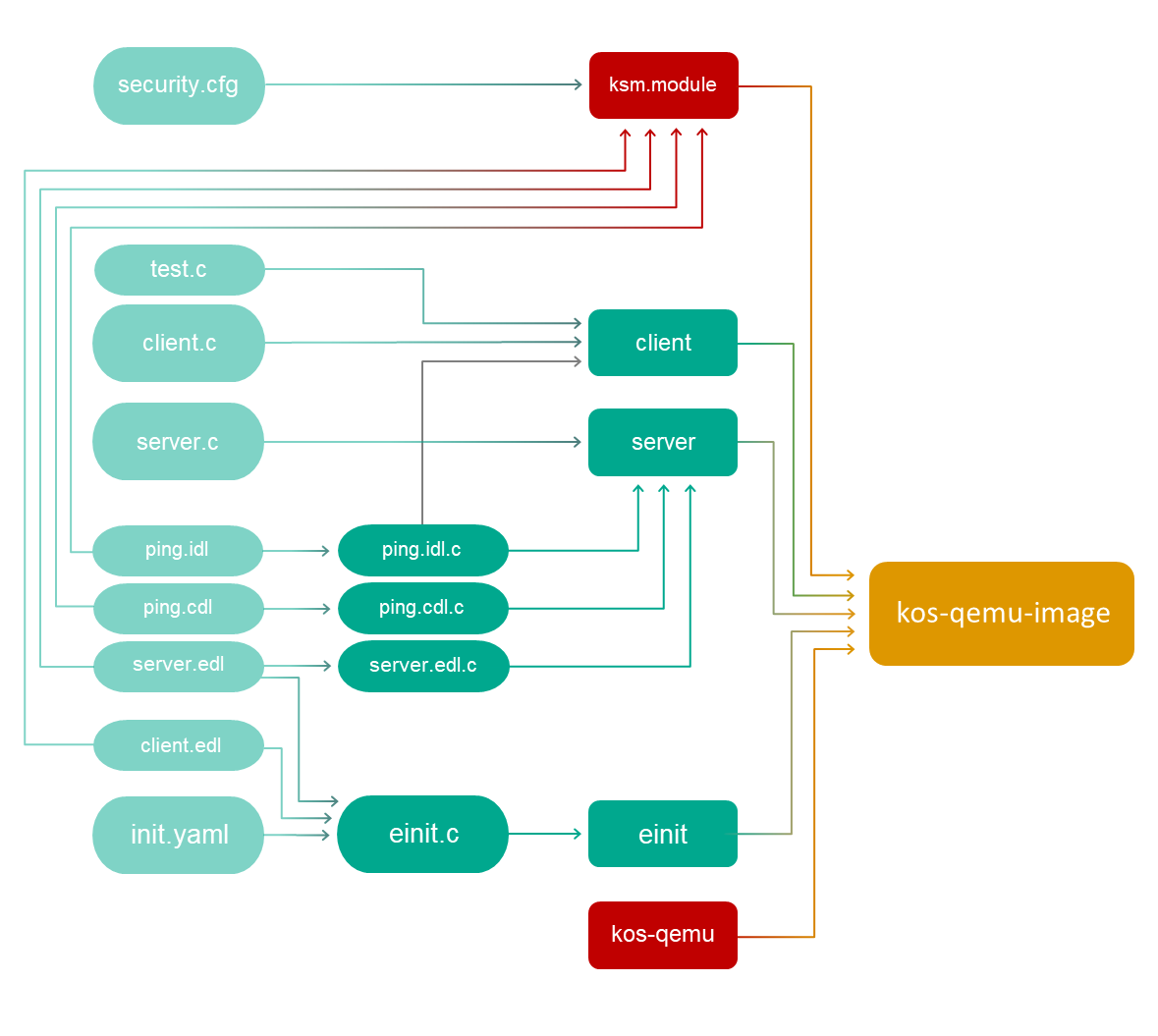
For simplicity, the ping.era family configuration file is not indicated on the scheme.
Copying the security.cfg and test.c files
The ping example contains shared files (client.c, server.c; client.edl, server.edl, ping.cdl; ping.idl; init.yaml) and files associated with a specific policy family (security.cfg, test.c, ping.era).
Prior to beginning the build, the files associated with the selected policy family must be copied to the folder containing the shared files.
Files for the flow family:
security.cfg– security configuration based on theflowfamily.test.c– implementation of thetest()function to demonstrate the use of theflowfamily.
Files for the era family:
security.cfg– security configuration based on theerafamily.test.c– implementation of thetest()function to demonstrate use of theerafamily.ping.era–erafamily configuration file.
Building the client and server entities
Prior to building the client and server entities, you need to process the static description files of the server by using the NK compiler:
nk-gen-c -I $SDK/sysroot-x86_64-pc-kos/include ping.idl
nk-gen-c -I $SDK/sysroot-x86_64-pc-kos/include ping.cdl
nk-gen-c -I $SDK/sysroot-x86_64-pc-kos/include server.edl
(Hereinafter: SDK=/opt/KasperskyOS-StarterKit-<version>.)
The NK compiler creates the ping.idl.h, ping.cdl.h and server.edl.h files, and the ping.idl.c, ping.cdl.c and server.edl.c files. These files contain the transport methods and types used on the server and on the client.
Building the client and server entities:
x86_64-pc-kos-gcc -o client client.c test.c ping.idl.c
x86_64-pc-kos-gcc -o server server.c ping.idl.c ping.cdl.c server.edl.c
Building the initializing entity
To build the einit entity, the client.edl.h and server.edl.h files will be required.
The server.edl.h file was already created in the previous step. Now you just need to generate client.edl.h:
nk-gen-c -I $SDK/sysroot-x86_64-pc-kos/include client.edl
The code of the initializing entity (einit.c) is generated by using the einit tool:
einit -I $SDK/sysroot-x86_64-pc-kos/include -I . init.yaml -o einit.c
Building the einit initializing entity:
x86_64-pc-kos-gcc -I . -o einit einit.c
Building the security module
In contrast to the examples from the first and second parts of the Guide, the ping example contains a security configuration (security.cfg).
The security module (ksm.module) is built with the help of the makekss script based on security.cfg:
makekss --target=x86_64-pc-kos \
--module=-lksm_kss \
--with-nkflags="-I $SDK/examples/common -I $SDK/sysroot-x86_64-pc-kos/include" \
security.cfg
Building a solution image
The final step is to build a solution image using the makeimg script:
makeimg --target=x86_64-pc-kos \
--sys-root=$SDK/sysroot-x86_64-pc-kos \
--with-toolchain=$SDK/toolchain \
--ldscript=$SDK/libexec/x86_64-pc-kos/kos-qemu.ld \
--img-src=$SDK/libexec/x86_64-pc-kos/kos-qemu \
--img-dst=kos-qemu-image \
client server ksm.module
Please note that the security module (ksm.module) must be explicitly specified, or else it will not be included in the solution image. The einit entity does not need to be indicated because it will be automatically included in the solution image.
Running the ping example
To run the built solution image under QEMU, run the following command:
qemu-system-x86_64 -m 1024 -serial stdio -kernel kos-qemu-image
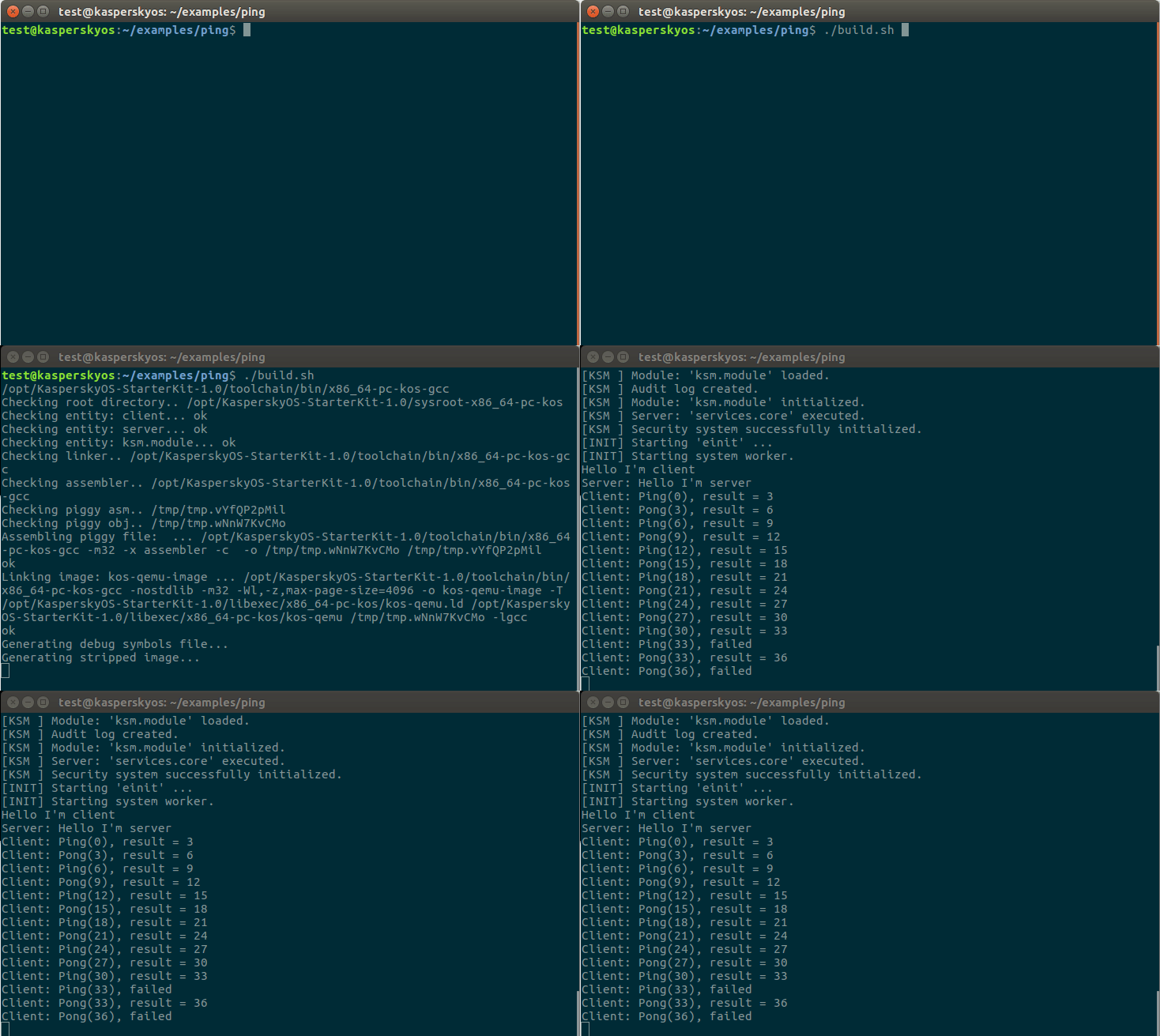
Building and running the ping example using the build.sh script containing all of the above commands
Page top