Protection management tab
The Protection management tab on the switch panel is designed for managing the Control Center database:
- Configuring Kaspersky Anti-Virus settings on protected servers;
- Configuring anti-virus protection settings (mail protection, replication protection, database scan, anti-virus database updates, and so forth).
In the Protection management tab, the navigation panel contains a list of profiles and their servers.
The list of servers included in the profile can be minimized on the navigation panel. To maximize the list of servers, click the  icon located to the left of the profile name.
The upper part of the navigation panel contains the Add profile button used to create a profile.
If a profile is selected in the navigation panel, the following tabs (see figure below) with profile settings are displayed in the viewing panel:
- Information. The tab contains the profile name and a list of servers it contains.
- General settings. The tab displays the name of the administrator / group of administrators of the profile, the application performance settings, and the Event log and statistics for servers in the profile settings.
- Mail protection. The tab is used to configure mail protection settings for servers included in the profile.
- Replication protection. The tab is used to configure replication protection for servers contained in the profile.
- Database scanning. The tab is used to configure replication protection for servers contained in the profile.
- Anti-virus databases update. The tab is used to configure update settings for servers contained in the profile.
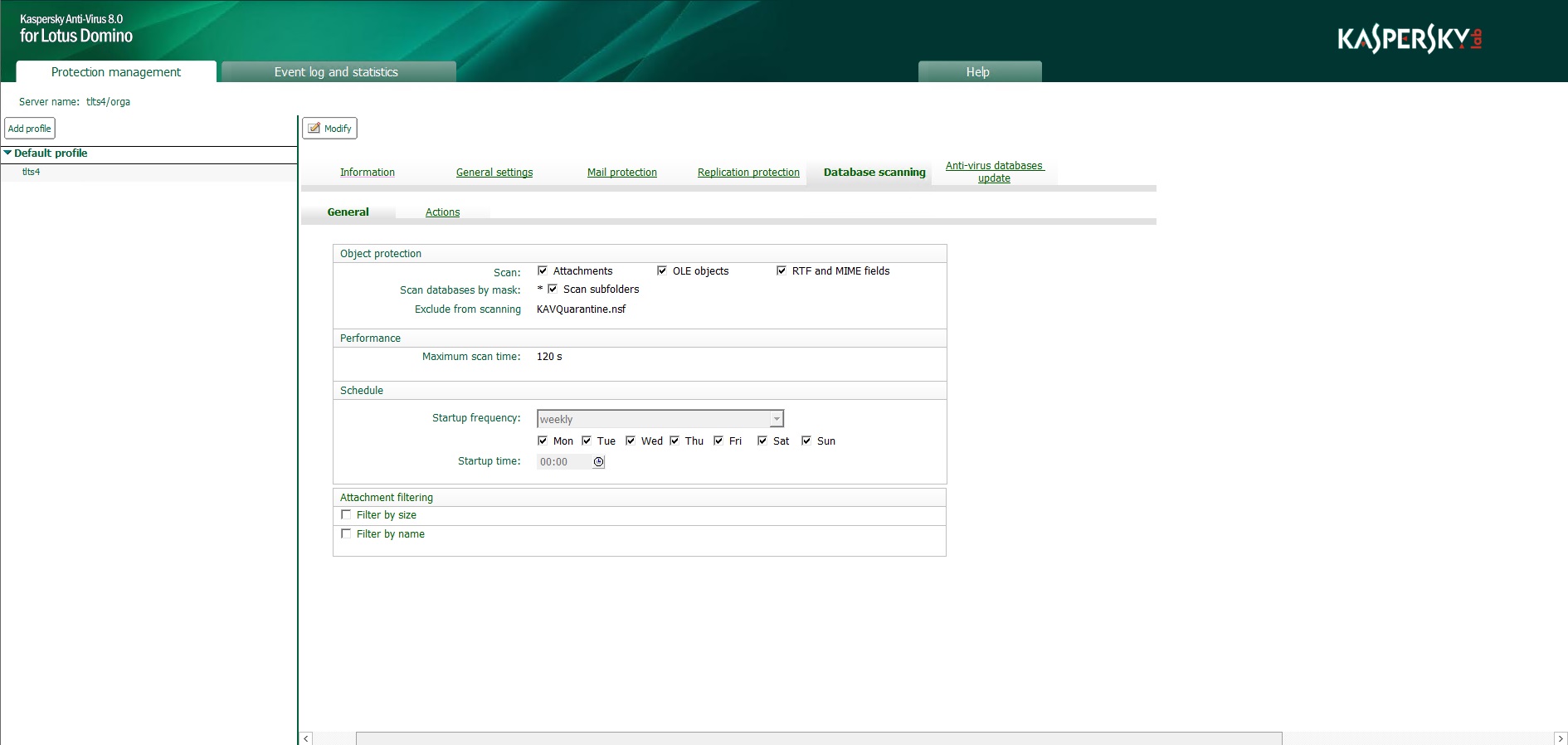
The Control Center window in profile view mode
If a server is selected in the navigation panel, tabs containing the server settings are displayed in the control panel and Event log and statistics database records for the server are displayed in the viewing panel (see figure below).
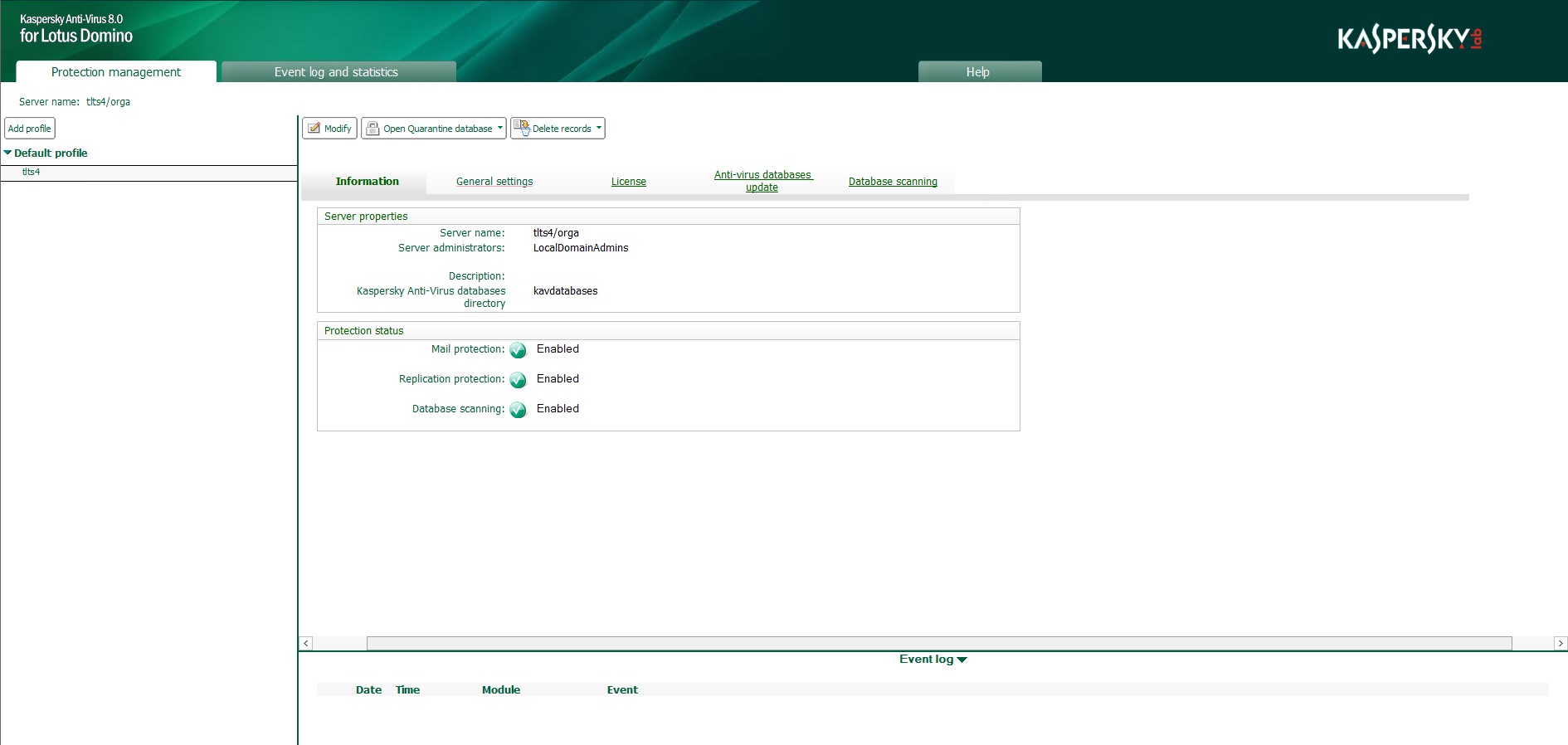
Control Center database window in the server settings viewing mode
The server settings are displayed on the following tabs (see figure below):
- Information. The tab displays the name of the server, the name of the administrator / group of administrators of the server, and the status of the protection components.
- General settings. The tab is designed for configuring the Quarantine settings and the individual Event log and statistics settings for the server.
- License. The tab is used to manage licenses.
- Anti-virus databases update. The tab is used to configure anti-virus database updates for the server and launch updates.
- Database scanning. The tab is used to run database scans manually for the server.
The upper part of the control panel displays the action panel containing buttons. To edit the profile or server settings, change from view mode to edit mode by clicking the Modify button in the action panel. The set of buttons in the action panel is different in the editing mode and in the viewing mode.
The purpose of buttons for managing profile settings is described in the table below.
Buttons in the action panel for managing profile settings
Button |
Function |
|---|---|
Modify |
Change to profile edit mode. |
Apply |
Save new profile settings. |
Cancel |
Cancel new settings. |
Delete |
Delete profile. |
Restore defaults |
Restore default profile settings. |
The purpose of buttons for managing server settings is described in the table below.
Buttons in the action panel for managing server settings
Button |
Function |
|---|---|
Modify |
Change to profile edit mode. |
Apply |
Save new server settings. |
Switch profile |
Move server to another profile. |
Cancel |
Cancel new settings. |
Open Quarantine database |
Open the list of objects placed in Quarantine as a result of scanning email messages, replications or databases. |
Delete records |
Delete Quarantine or Event log and statistics records for this server. |
Page top