Kaspersky RectorDecryptor tool for eliminating Trojan-Ransom.Win32.Rector
Do you want to prevent infections? Be safe and private with new Kaspersky applications.
To download Kaspersky RectorDecryptor for free, click Download.
Trojan-Ransom.Win32.Rector malware encrypts JPG, DOC, PDF and RAR files on a computer and demands ransom for decryption. To decrypt the files encrypted by malware, use the Kaspersky RectorDecryptor tool.
To avoid infection:
- Download and install new Kaspersky applications, which will protect your computer against screen-locking and file-encrypting malware.
- Follow the
How to decrypt files with Kaspersky RectorDecryptor
- Download the Kaspersky RectorDecryptor tool.
- Run RectorDecryptor.exe on the infected computer.
- Carefully read the Kaspersky Lab End User License Agreement. Click Accept if you agree with all the points.
- Click Change parameters.
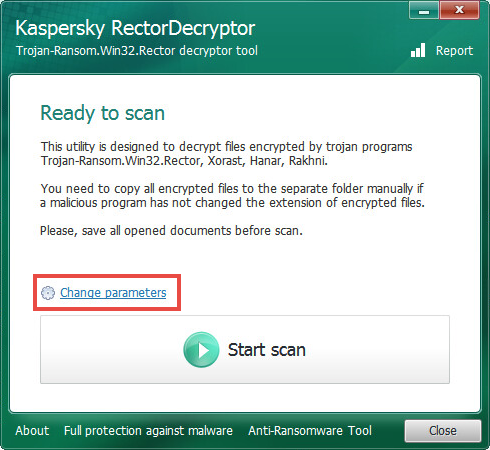
- Select the checkbox Delete crypted files after decryption to delete the copies of the encrypted files with VSCRYPT, INFECTED, BLOC or KORREKTOR extensions.
- Click OK.
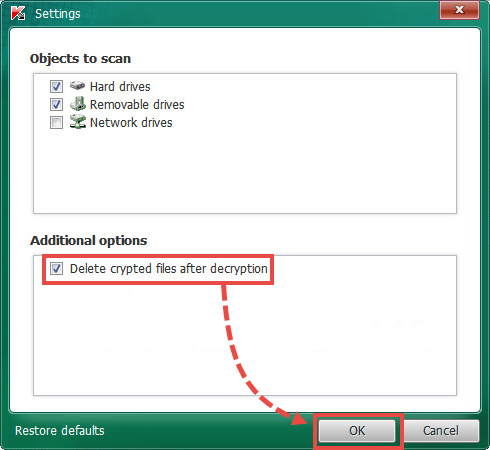
- Copy the encrypted files to one folder (if folder extensions haven’t been changed by malware).
- Click Start scan.
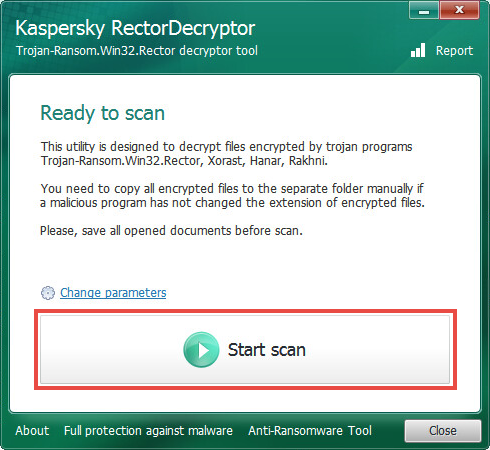
- Specify the path to the encrypted file or to the folder with encrypted files.
The report will be created on a system drive (usually, disk C:\). The report is saved under the following name: RectorDecryptor.Tool_version_Date_Time_log.txt.
How to use the tool through the command prompt
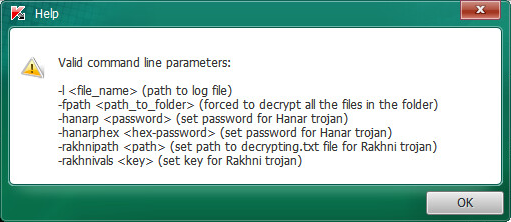
To view a list of the available command prompt parameters for the Kaspersky RectorDecryptor tool, use the command:
To use the tool from the command prompt, use the parameters in the table below:
What to do if the tool did not help
If the tool didn’t help, submit a request to Kaspersky Customer Service.